For makers and artists drowning in unstructured data, the ability to instantly extract sentiment, keywords, and sentiment scores from documents is no longer a luxury-it is a necessity. This tutorial demonstrates how to construct a robust document intelligence backend using iii, moving beyond static notebooks to a real-world distributed system. We will install the engine and Python SDK, spin up the engine as a background service, and connect a Python worker. You will register distinct functions for text normalization, tokenization, sentiment analysis, keyword extraction, reporting, and heartbeat tracking. Finally, we will unify these into a single pipeline, executing it via direct calls, HTTP endpoints, fire-and-forget modes, and scheduled cron triggers. The setup includes runtime state tracking to simulate a production environment. Full code is available here.
Setting up the environment
We begin by importing necessary Python modules and configuring the local binary path for the III engine. A helper function handles shell command execution, ensuring the engine is installed if missing. We then install the Python SDK and requests library, verifying the setup by checking the engine version.
import os, sys, subprocess, time, socket, json, threading
from collections import Counter
HOME    = os.path.expanduser("~")
BIN_DIR = f"{HOME}/.local/bin"
os.environ["PATH"] = BIN_DIR + os.pathsep + os.environ.get("PATH", "")
def sh(cmd):
   print(f"$ {cmd}")
   subprocess.run(cmd, shell=True, check=True)
if not os.path.exists(f"{BIN_DIR}/iii"):
   sh(f"curl -fsSL https://install.iii.dev/iii/main/install.sh | BIN_DIR={BIN_DIR} sh")
sh(f"{sys.executable} -m pip install -q iii-sdk requests")
III = f"{BIN_DIR}/iii"
sh(f"{III} --version")
Launching the engine and connecting the worker
We launch the III engine as a background process, waiting for its WebSocket port to become responsive. A Python worker then connects to this running engine, with optional support for fire-and-forget triggers. We define a shared in-memory state dictionary, a thread lock for safety, and simple lists of positive and negative words to facilitate sentiment scoring.
WS_URL, HTTP_URL = "ws://localhost:49134", "http://localhost:3111"
engine_log = open("/tmp/iii-engine.log", "w")
engine = subprocess.Popen([III, "--use-default-config"],
                         stdout=engine_log, stderr=subprocess.STDOUT)
def wait_port(host, port, timeout=90):
   end = time.time() + timeout
   while time.time() < end:
       with socket.socket() as s:
           s.settimeout(1)
           try:
               s.connect((host, port)); return True
           except OSError:
               time.sleep(0.5)
   return False
assert wait_port("localhost", 49134), "engine never came up, see /tmp/iii-engine.log"
print(f"✓ engine up, WS {WS_URL} | HTTP {HTTP_URL}")
from iii import register_worker
try:
   from iii import TriggerAction
except Exception:
   TriggerAction = None
worker = register_worker(WS_URL)
_STATE = {"docs_analyzed": 0, "heartbeats": 0, "keyword_totals": Counter()}
_LOCK  = threading.Lock()
POSITIVE = {"good","great","love","excellent","happy","fast","reliable","amazing","best","win"}
NEGATIVE = {"bad","terrible","hate","slow","broken","sad","worst","bug","crash","fail"}
Building the analysis pipeline
We define the core functions for the text-analysis workflow, covering normalization, tokenization, sentiment detection, and keyword extraction. An analysis function routes each step through the III engine rather than executing them directly in the script. We also implement reporting, HTTP handling, and heartbeat functions before registering all of them with the worker.
def normalize(data):
   return {"text": (data.get("text") or "").strip().lower()}
def tokenize(data):
   text   = data.get("text", "")
   cleaned = "".join(c if (c.isalnum() or c.isspace()) else " " for c in text)
   tokens = [t for t in cleaned.split() if t]
   return {"tokens": tokens, "count": len(tokens)}
def sentiment(data):
   toks  = data.get("tokens", [])
   pos   = sum(t in POSITIVE for t in toks)
   neg   = sum(t in NEGATIVE for t in toks)
   score = pos - neg
   label = "positive" if score > 0 else "negative" if score < 0 else "neutral"
   return {"label": label, "score": score, "pos": pos, "neg": neg}
def keywords(data):
   toks = data.get("tokens", [])
   stop = {"the","a","an","is","it","to","of","and","in","for","on","how"}
   freq = Counter(t for t in toks if t not in stop and len(t) > 2)
   return {"keywords": freq.most_common(data.get("top_n", 5))}
def analyze(data):
   norm = worker.trigger({"function_id": "text::normalize", "payload": {"text": data.get("text","")}})
   toks = worker.trigger({"function_id": "text::tokenize",  "payload": norm})
   sent = worker.trigger({"function_id": "text::sentiment", "payload": toks})
   keys = worker.trigger({"function_id": "text::keywords",  "payload": {**toks, "top_n": data.get("top_n", 5)}})
   with _LOCK:
       _STATE["docs_analyzed"] += 1
       for k, c in keys["keywords"]:
           _STATE["keyword_totals"][k] += c
       n = _STATE["docs_analyzed"]
   return {"tokens": toks["count"], "sentiment": sent, "keywords": keys["keywords"], "docs_analyzed": n}
def report(data):
   with _LOCK:
       return {"docs_analyzed": _STATE["docs_analyzed"],
               "heartbeats":    _STATE["heartbeats"],
               "top_keywords_all_docs": _STATE["keyword_totals"].most_common(5)}
def http_analyze(data):
   body   = data.get("body") or {}
   result = worker.trigger({"function_id": "pipeline::analyze", "payload": body})
   return {"status_code": 200, "body": result, "headers": {"Content-Type": "application/json"}}
def heartbeat(data):
   with _LOCK:
       _STATE["heartbeats"] += 1
   return {"ok": True}
for fid, fn in [
   ("text::normalize", normalize), ("text::tokenize", tokenize),
   ("text::sentiment", sentiment), ("text::keywords", keywords),
   ("pipeline::analyze", analyze), ("stats::report", report),
   ("http::analyze", http_analyze), ("cron::heartbeat", heartbeat),
]:
   worker.register_function(fid, fn)
Configuring triggers and endpoints
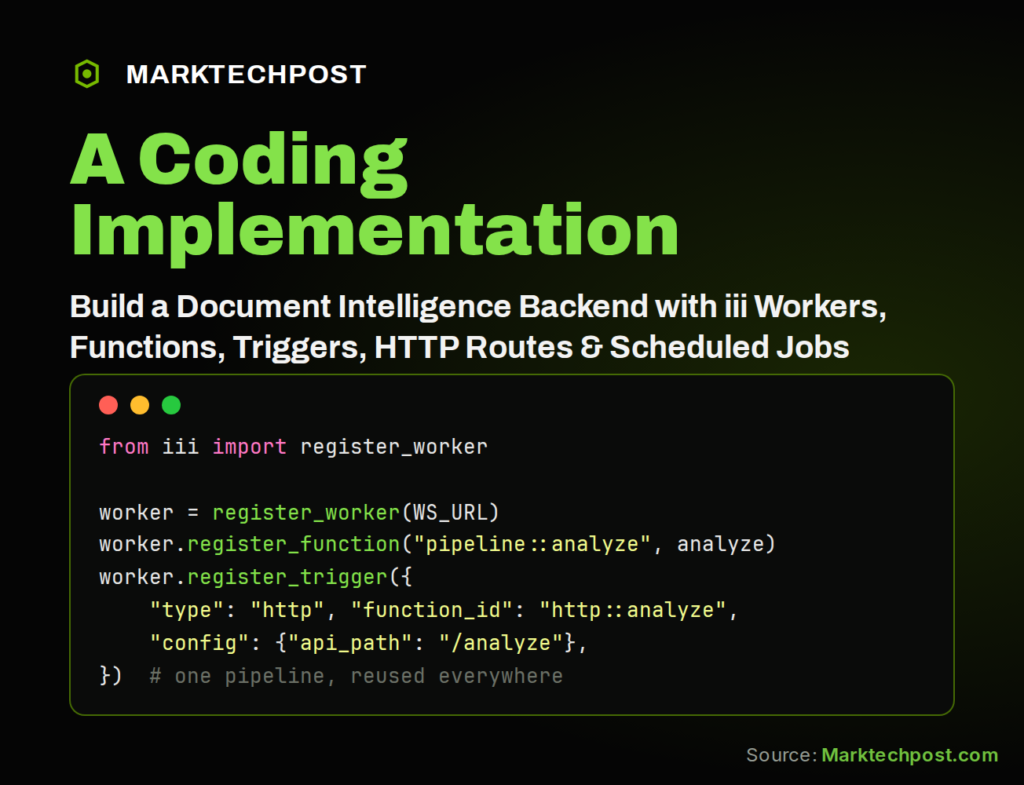
We register an HTTP trigger so the analysis pipeline accepts POST requests. We attempt to register a cron trigger that executes the heartbeat function on a fixed schedule, gracefully skipping it if the engine build lacks support for that schema. Finally, we connect the worker and pause briefly to ensure all registered functions and triggers are ready.
worker.register_trigger({"type": "http", "function_id": "http::analyze",
"Source Read original →Related articles