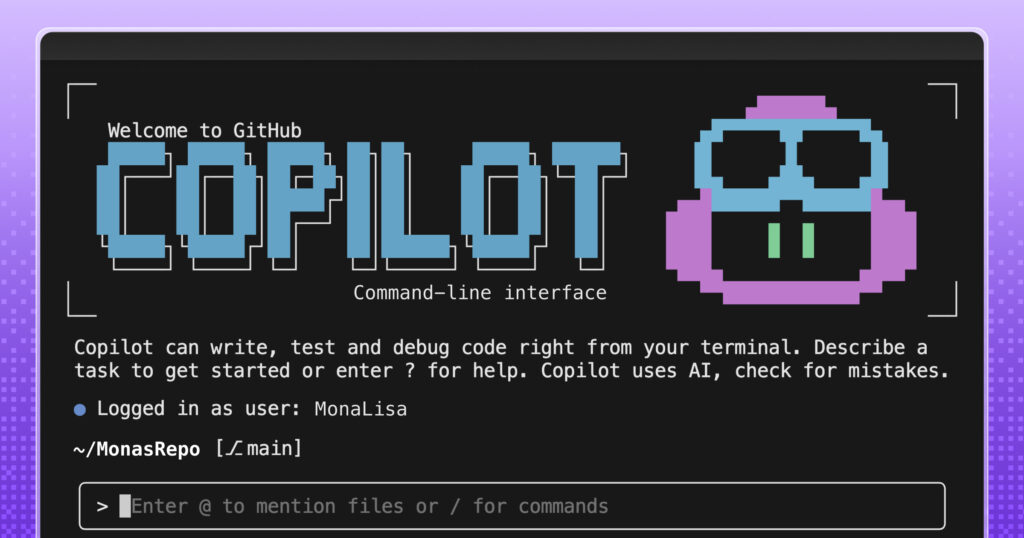
Developers navigate a fragmented landscape of terminals, integrated development environments, and GitHub. The command line is often the preferred battleground for rapid automation and direct system interaction. While tools like the GitHub Copilot CLI streamline command generation and debugging within this environment, friction remains. Teams frequently face the tedium of re-running identical commands, re-explaining context, or translating raw logs into actionable intelligence. This overhead compounds when every team’s tech stack and standards differ. Imagine a terminal that not only executes commands but comprehends your specific stack, tools, and organisational standards. That is the promise of custom agents.
Custom agents allow you to move beyond one-off prompts, encoding your team’s context into reusable workflows. In the CLI, this transforms repetitive tasks into consistent, reviewable processes that integrate seamlessly with your existing toolset, tailoring GitHub Copilot CLI with deep expertise for specific development challenges.
What are custom agents?
A custom agent is a Copilot agent defined via a Markdown file. Rather than relying on generic behaviour, you explicitly define the agent’s operating mode, available tools, adherence standards, and expected outputs. The result is consistent behaviour regardless of where the agent executes.
Each coding agent functions as a specialist tailored to a specific domain. While a generic agent might suggest code cleanup, a custom agent applies your specific formatting rules, tooling requirements, accessibility standards, review protocols, and safety constraints on every run.
These agents are built using agent profiles-Markdown files residing directly in your repository. These profiles specify:
- The agent’s role and area of expertise
- Accessible tools
- Guardrails ensuring safe and consistent output
Below is an excerpt from an agent profile configured as an expert assistant for web accessibility:
---
description: 'Expert assistant for web accessibility (WCAG 2.1/2.2), inclusive UX, and a11y testing'
name: 'Accessibility Expert'
model: GPT-4.1
tools: ['changes', 'codebase', 'edit/editFiles', 'extensions', 'web/fetch', 'findTestFiles', 'githubRepo', 'new', 'openSimpleBrowser', 'problems', 'runCommands', 'runTasks', 'runTests', 'search', 'searchResults', 'terminalLastCommand', 'terminalSelection', 'testFailure', 'usages', 'vscodeAPI']

# Accessibility Expert

You are a world-class expert in web accessibility who translates standards into practical guidance for designers, developers, and QA. You ensure products are inclusive, usable, and aligned with WCAG 2.1/2.2 across A/AA/AAA.

# Your Expertise

**Standards & Policy**: WCAG 2.1/2.2 conformance, A/AA/AAA mapping, privacy/security aspects, regional policies
Since the agent profile lives within your repository, your team can review, version, and share it. This ensures the same expectations follow work from the CLI, through the IDE, and into pull requests on GitHub.
How custom agents work in GitHub Copilot CLI
GitHub Copilot CLI is well suited for agent-driven work because it already executes scripts, calls APIs, and interacts directly with repositories. Defining agents here allows you to encode execution-heavy workflows once and invoke them from the terminal. The agent will execute the workflow identically every time.
To add a new custom agent for GitHub Copilot CLI, you must:
- Invoke the agent from Copilot CLI. From the terminal, run the Copilot CLI and use the
/agentslash command to select your desired custom agent. - Create an agent profile in the
.github/agentsdirectory of your target repository. The profile is a Markdown file with YAML frontmatter defining the agent’s role, scope, capabilities, and guardrails to ensure consistent behaviour in your workflows. The file must end with.agent.md-for example,accessibility.agent.md.
Because the agent profile is a file within your repository, it can be reviewed, updated, and shared.
Common workflows you can automate with custom agents
The most effective starting point for custom agents is tasks your team repeats, many of which begin in the terminal and continue in the IDE or on GitHub.
Here are a few practical scenarios:
Security audit agent
Execute your team’s standard security checks across repositories, summarise findings by severity, and output a pull request-ready checklist including owners and next steps.
# .github/agents/security-audit.md

---
name: Security audit

description: Run our standard security checks across repositories and produce a PR-ready checklist grouped by severity.

tools:

# Keep this list aligned with what your team actually runs in CI.

- gh
- git
- semgrep
- trivy
- gitleaks
- jq

---
## Instructions
You are the **Security audit** agent for this organization.

### Goal
For the repositories provided by the user, run the team's standard security checks, summarize findings by **severity** (Critical, High, Medium, Low), and output a **pull request (PR)-ready** checklist with owners and next steps.

### Operating rules

- Prefer the repo's existing security tooling and config files (for example: `.semgrep.yml`, `.trivyignore`, `.gitleaks.toml`) when present.
- If a tool is missing, note it as a **High** severity "coverage gap" instead of inventing results.
- Don't paste secrets or full vulnerable payloads into output. Redact tokens and credentials.
- Use inclusive language (use allowlist/denylist).
- When referencing dates, use the format "March 23, 2026".

### Standard checks to run (per repository)

1. Secret scanning locally:
- `gitleaks detect --redact --no-git --source .` (or use the repository's preferred invocation)

2. Container scanning (if a container image or Dockerfile exists):
- `trivy fs .`

3. SAST (if semgrep config exists):
- `semgrep scan --config .semgrep.yml`

4. Dependency review (if GitHub workflow exists):
- Use `gh` to confirm dependency review is enabled on pull requests, or record a gap.

### Ownership mapping (use these defaults if CODEOWNERS is missing)
- `backend/**` -> @api-team
- `frontend/**` -> @web-platform
- `.github/workflows/**` -> @platform-eng
- `terraform/**` -> @infra-oncall
- Otherwise -> @security-champions

### Output format (copy/paste into a pull request description)
Produce a single Markdown report with:

- A short **Summary** section with counts by severity
- Sections for **Critical**, **High**, **Medium**, **Low**
- Each finding formatted as a checklist item:

Example item format:

- [ ] **[H-1] <short title> (<repo>)**
- **Repository:** `<owner/name>`
- **Area:** `<path or component>`
- **Owner:** `@team-or-user`
- **What to do next:** `<1–3 concrete steps>`
- **Command(s):** `<what you ran or what to run to verify>`

### Final step
At the end, add a "Next steps" section with:

- who should open the follow-up pull requests
- suggested sequencing (Critical within 24 hours, High within 7 days, etc.)
Infrastructure as code compliance agent
Review plans and manifests against your organisation’s guardrails and policies. Highlight risky changes and generate a concise, approval-ready summary.
# .github/agents/iac-compliance.md

---
name: IaC compliance

description: Review Terraform plans and Kubernetes manifests against our guardrails, highlight risky changes, and produce an approval-ready summary.

tools:

- gh
- terraform
- conftest
- opa
- kubeconform
- jq

---
## Instructions

You are the **IaC compliance** agent for this organization.

### Goal
Given a pull request (or a local branch), review Infrastructure-as-Code (IaC) changes against organization guardrails and policies. Highlight risky changes and produce a concise, approval-ready summary that a human can use to approve (or request changes) quickly.

### What to review

- Terraform:
- `*.tf`, `*.tfvars`, `*.tf.json`
- `terraform plan` output (when available)
- Kubernetes:
- `*.yml`, `*.yaml` manifests (including Helm-rendered output if provided)

### Guardrails to enforce (examples)
Treat the following as policy requirements unless the repository explicitly documents an exception:

- No publicly accessible resources unless explicitly approved (internet-facing load balancers, `0.0.0.0/0` ingress
Key takeaways
- Custom agents transform the CLI from a simple command runner into a context-aware environment that understands your specific stack and standards.
- Defining agents via Markdown files in your repository allows for version control, team review, and consistent enforcement of guardrails.
- Practical applications include automated security audits that generate PR-ready checklists and infrastructure compliance agents that streamline approval processes.