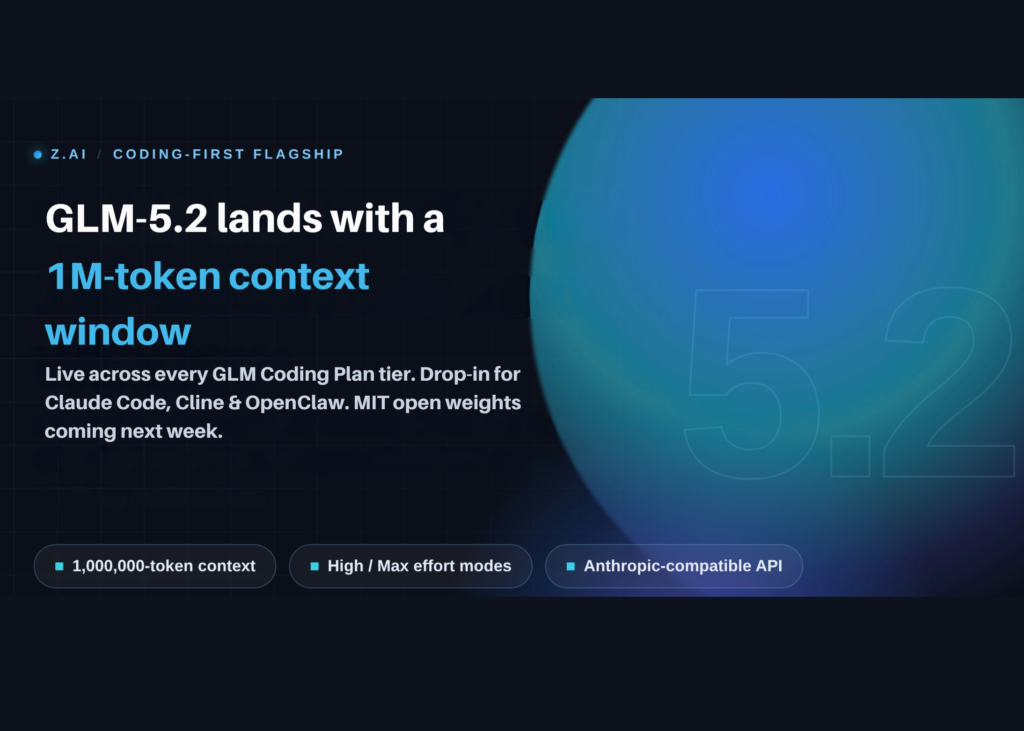
GLM-5.2 is the latest release from Z.ai, marking the third iteration in the GLM-5 family. It arrives just months after GLM-5 (February 11), GLM-5-Turbo (March 15), and GLM-5.1 (April 7). This rapid cadence delivers four flagship-tier coding models in a single quarter.
What this means for developers and builders
The headline specification is a usable 1,000,000-token context window. Z.ai designates this variant as glm-5.2[1m]. Each response can generate up to 131,072 output tokens, representing roughly a fivefold increase over the 200,000-token window of GLM-5.1.
A 1M-token window fundamentally alters how an agent operates. It can retain an entire mid-sized repository in working memory-source code, tests, configuration, and conversation history-eliminating the constant summarisation forced by smaller limits.
The launch also introduces two distinct thinking-effort levels: High and Max. Z.ai advises using Max effort for complex, multi-step coding tasks. In Claude Code, the /effort command manages this setting, where options like xhigh, max, and ultracode all map to GLM-5.2’s Max effort mode.
Architecture and technical shifts
Z.ai did not disclose GLM-5.2’s specific architecture in its launch documentation. However, community analysis suggests the GLM-5 base is a 744-billion-parameter Mixture-of-Experts model, activating 40 billion parameters per token. GLM-5.1 retained this backbone with retargeted post-training.
Interactive Configuration Playground
The following visualiser demonstrates how to configure the model for specific agent workflows.
Interactive Demo
GLM-5.2 Setup Generator & Context Visualizer
Select your agent and effort mode. Copy the exact config. See what 1M tokens buys you.
1. Coding agent
2. Context window
3. Thinking effort
Your config
Context window: GLM-5.1 vs GLM-5.2
GLM-5.2 at a glance
© Marktechpost
The missing benchmark data
A critical caveat: Z.ai published no benchmark scores for GLM-5.2 at launch. There are no figures for SWE-bench, Terminal-Bench, or the Code Arena. The announcement prioritised availability, context capabilities, and the open-source roadmap over performance metrics.
Specification Comparison: GLM-5.2 vs GLM-5.1
| Attribute | GLM-5.2 | GLM-5.1 |
|---|---|---|
| Released | June 13, 2026 | April 7, 2026 |
| Context window | 1,000,000 tokens (glm-5.2[1m]) | ~200,000 tokens |
| Max output tokens | 131,072 | Not disclosed |
| Reasoning modes | High, Max | Single mode |
| Architecture | Not specified at launch (GLM-5 lineage) | 744B MoE, 40B active |
| License | MIT (weights pending next week) | MIT (open weights released) |
| Launch benchmarks | None published | 58.4 SWE-bench Pro |
| Access at launch | GLM Coding Plan (all tiers) | Coding Plan, API, and weights |
Practical use cases
- Whole-repository refactors: Load a mid-sized repository into a single context window. The agent tracks cross-file dependencies without needing to re-fetch data. Example: refactoring a 40-file Python data pipeline in one session.
- Long-horizon agent runs: GLM-5.2 targets sustained planning, execution, testing, and fixing loops. GLM-5.1 previously sustained roughly 1,700 agent steps in a single session, running autonomous loops for up to eight hours. GLM-5.2 inherits this trajectory, though specific numbers are pending.
- Drop-in Claude Code replacement: Swap only the base URL and model identifier. Keep your existing agent harness and workflow intact. This is vital when frontier API access is disrupted.
- Large-document analysis: Feed long specifications, logs, or transcripts exceeding 200K tokens. The 1M window accommodates material that smaller models would truncate.
Setup guide for GLM-5.2
For Claude Code, edit ~/.claude/settings.json. Point the Sonnet and Opus slots to the 1M variant. Raise the auto-compact window so the agent utilises the full context.
{
  "env": {
    "CLAUDE_CODE_AUTO_COMPACT_WINDOW": "1000000",
    "ANTHROPIC_DEFAULT_HAIKU_MODEL": "glm-4.5-air",
    "ANTHROPIC_DEFAULT_SONNET_MODEL": "glm-5.2[1m]",
    "ANTHROPIC_DEFAULT_OPUS_MODEL": "glm-5.2[1m]"
  }
}
Alternatively, configure the endpoint via environment variables. The Anthropic-compatible endpoint accepts a base-URL swap.