Tuesday marked the rollout of MCP 2.0, formally named the 2026-07-28 Model Context Protocol specification. This update represents the most substantial change to the protocol since its initial launch and has reinvigorated development interest.
MCP describes a standard method for exposing tools to LLM-powered agent frameworks. Anthropic introduced the protocol in November 2024. Interest surged through much of 2025 before activity slowed as the industry shifted toward Anthropic’s Skills. That system allowed agents with terminal access and `curl` capabilities to perform most tasks previously handled by MCP, often with greater flexibility.
The renewed focus on MCP stems from security concerns. Providing an agent with a shell environment capable of accessing the internet carries significant risk and demands a powerful model to manage the execution safely. MCP tools are easier to audit and control. Furthermore, their simplicity allows smaller models running on a laptop to drive them effectively.
Why stateless MCP matters
The new stateless specification reduces the complexity required to implement both clients and servers. The author built three projects this week using the updated protocol.
The distinction between the legacy stateful approach and the new stateless method is clear. The older system required two HTTP requests: first to initialize a session and obtain a `Mcp-Session-Id`, and second to call the tool.
POST /mcp HTTP/1.1
Content-Type: application/json

{
  "jsonrpc": "2.0",
  "id": 1,
  "method": "initialize",
  "params": {
    "protocolVersion": "2025-11-25",
    "capabilities": {
    },
    "clientInfo": {
      "name": "my-app",
      "version": "1.0"
    }
  }
}

POST /mcp HTTP/1.1
Mcp-Session-Id: 1868a90c-3a3f-4f5b
Content-Type: application/json

{
  "jsonrpc": "2.0",
  "id": 2,
  "method": "tools/call",
  "params": {
    "name": "search",
    "arguments": {
      "q": "otters"
    }
  }
}
The new stateless approach uses a single HTTP request:
POST /mcp HTTP/1.1
MCP-Protocol-Version: 2026-07-28
Mcp-Method: tools/call
Mcp-Name: search
Content-Type: application/json

{
  "jsonrpc": "2.0",
  "id": 1,
  "method": "tools/call",
  "params": {
    "name": "search",
    "arguments": {
      "q": "otters"
    },
    "_meta": {
      "io.modelcontextprotocol/clientInfo": {
        "name": "my-app",
        "version": "1.0"
      }
    }
  }
}
This simplifies implementation for both clients and servers. It also better suits scalable web applications because servers no longer need to maintain state to track session IDs or worry about routing specific sessions to specific backend machines.
mcp-explorer
A suitable CLI tool for interactively probing an MCP server was not readily available, so the author built one with Codex assistance.
mcp-explorer is the result. It is a stateless Python CLI tool requiring no installation to test. Users can run it via uvx like this:
uvx mcp-explorer list https://agentic-mermaid.dev/mcpThis queries Ade Oshineye’s agentic-mermaid.dev demo MCP. The command returns a list of available tools:
execute(code: string, timeoutMs?: integer) - Execute Mermaid SDK code
  Run JavaScript in an isolated sandbox; return a value.

describe_sdk(family: string, detail?: string) - Describe Mermaid SDK operations
  Return version-matched mutation operations for one diagram family.

render_svg(source: string, options?: object) - Render Mermaid as SVG
  Render a Mermaid source string to themeable SVG. Returns { ok, svg }.

render_ascii(source: string, useAscii?: boolean, targetWidth?: integer, options?: object) - Render Mermaid as text
  Render a Mermaid source string to text. Returns { ok, text }.

render_png(source: string, scale?: number, background?: string, fitTo?: object, options?: object) - Render Mermaid as PNG
  Rasterize a Mermaid source string to PNG. Returns { ok, png_base64 }.
...
To inspect a specific tool:
uvx mcp-explorer inspect render_svgThis outputs detailed information, including the JSON schema for inputs and outputs.
To call the tool and pass arguments:
uvx mcp-explorer call \
  https://agentic-mermaid.dev/mcp \
  render_svg \
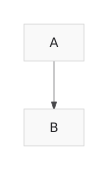
  -a source 'graph TD; A-->B' \
  -a options '{"padding":24}'
The response includes an SVG string:
{"ok":true,"svg":"<svg xmlns=\"http://www.w3.org/2000/svg\" width=...
To retrieve only the raw SVG, append | jq .svg -r to the command. The author obtained this image:
The README contains additional commands. The author finds building CLI tools like this a productive way to learn a specification, even if an agent generates most of the code.
datasette-mcp
The second project is datasette-mcp, a Datasette plugin adding a /-/mcp endpoint to any instance.
This is the fourth attempt at building this plugin. The new stateless specification finally allowed for a version ready for release.
The plugin provides three tools: list_databases(), get_database_schema(database_name), and execute_sql(database_name, sql). These functions perform their expected roles, though execute_sql() is currently read-only.
Connecting these to an agent or a chat tool like ChatGPT or Claude grants the ability to run SQL queries against a hosted Datasette instance.
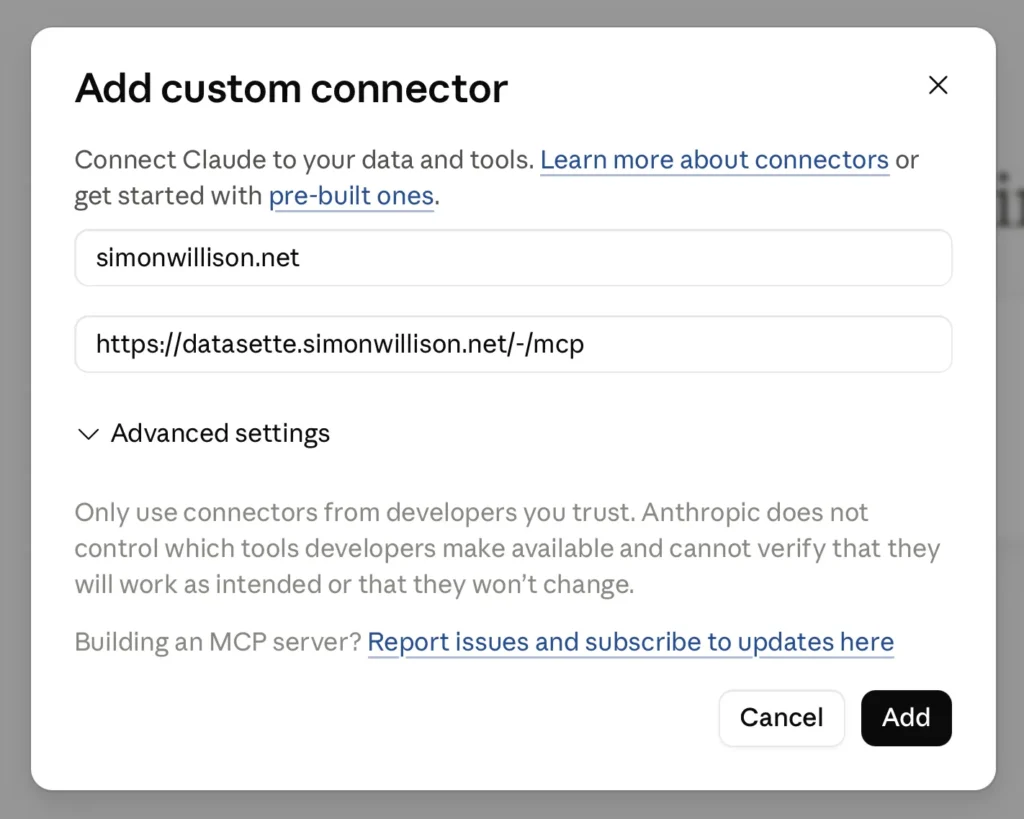
The author currently runs this on the Datasette mirror of their blog at datasette.simonwillison.net/-/mcp. Configuring it for ChatGPT and Claude required some effort. A new TIL explains the process.
A shared Claude session demonstrates the capability. The prompt was:
list tables in simonwillison.net
Followed by:
what has Simon said recently about MCP?
The agent executed seven separate SQL queries to formulate the answer.
llm-mcp-client
The author’s LLM tool is overdue for official MCP integration. The new alpha llm-mcp-client plugin addresses this:
llm install llm-mcp-client
llm -T 'MCP("https://datasette.simonwillison.net/-/mcp")' 'count the notes'
Here is the output, including the reasoning trace using LLM 0.32rc2:
Considering note count
I see the question “count the notes” is probably asking me to tally up blog notes. It could also mean published notes or drafts, so there’s some ambiguity there. I’ll need to figure out the total number of notes, likely by querying the count for both published notes and drafts to get a clear answer. Let’s execute that count!
There are 151 notes.
The llm logs for that prompt are available.
Once fully developed, the author considers bringing this directly into LLM core. There is also interest in experimenting with MCP in Datasette Agent and Source Read original →