For makers and artists relying on GPU acceleration, the landscape is shifting towards tile-based programming interfaces that allow efficient CUDA-style kernel execution directly within Python. This guide explores NVIDIA cuTile, a framework designed to streamline the development of high-performance kernels without the traditional boilerplate of C++. We begin by configuring a Google Colab environment, verifying the presence of compatible GPUs, drivers, and the cuTile library. Crucially, we maintain a PyTorch fallback mechanism to ensure the tutorial remains functional even if the Colab runtime lacks the specific version requirements for cuTile. This approach demystifies tiled programming, illustrating how tensors are loaded, processed, and validated, while offering a direct performance comparison against standard PyTorch operations.
Preparing the cuTile Python Environment and Validating Runtime in Colab
We start by installing necessary Python packages and attempting to pull the cuda-tile[tileiras] package from PyPI. The script then performs rigorous diagnostics to check Python versions, GPU availability, CUDA status, and NVIDIA driver versions. Based on these checks, the notebook determines whether it can utilise the native cuTile backend or must revert to the PyTorch fallback. For genuine cuTile execution, the system requires an NVIDIA driver of version 580 or newer and a CUDA Toolkit of 13.1 or later.
Implementing Timing, Correctness, and Benchmarking Utilities
To ensure reliable results, we define helper functions that synchronise GPU execution, measure latency across multiple repetitions, and compile performance metrics into readable tables. A dedicated correctness-checking function compares the output of custom kernels against expected PyTorch results, using absolute and relative tolerances to validate numerical accuracy.
Constructing Tiled Kernels for Vector, Matrix, and Matrix Multiplication
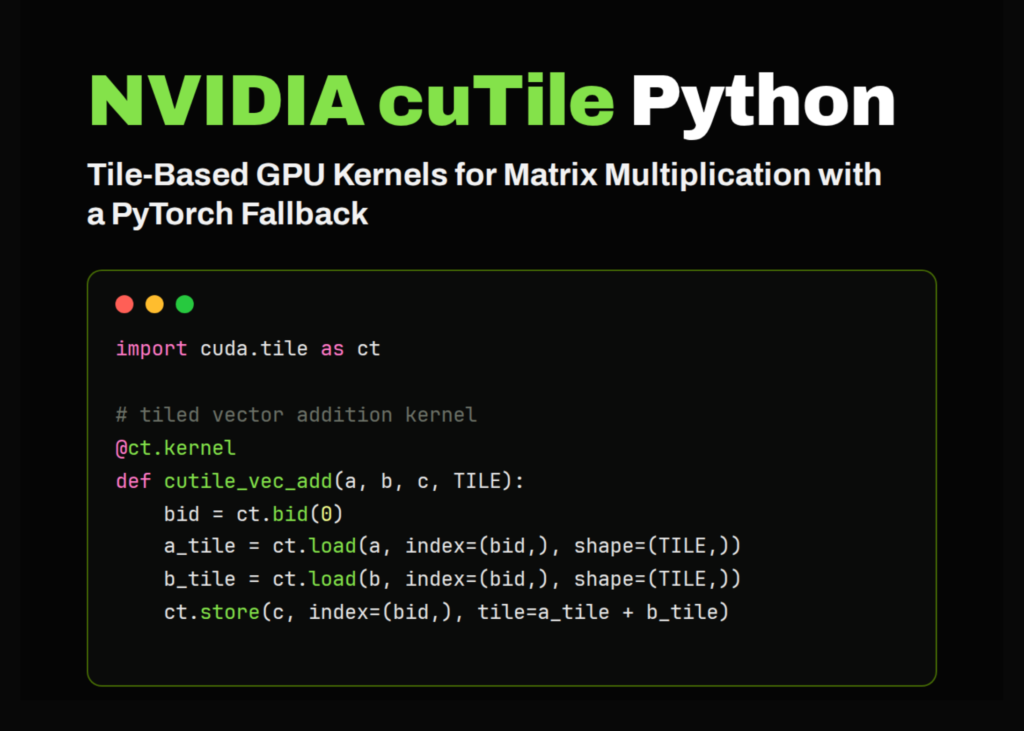
Once the environment is confirmed, we define the core kernels. These include implementations for vector addition, matrix addition, and matrix multiplication. The code distinguishes between direct loading methods and gather/scatter patterns, which are essential for handling data in tiles. For matrix multiplication, the kernel iterates through tiles along the inner dimension, accumulating results using fused multiply-add operations before storing the final output.
High-Level Wrappers and Execution Logic
We wrap the low-level kernels in high-level functions that handle grid dimensions, tile sizes, and stream management. For vector addition, the tile size adapts based on the data size, defaulting to 256 for gather-based approaches or a power-of-two size for direct kernels. Matrix operations utilise fixed tile dimensions, such as 16×64 for addition, while matrix multiplication dynamically selects tile sizes (128x128x64 for half-precision, 32x32x32 for float) to optimise performance. The launch function executes these kernels on the current CUDA stream, returning the computed tensor.
Key takeaways
- cuTile enables Python developers to write efficient, tiled GPU kernels directly, reducing the complexity of traditional CUDA programming.
- A robust PyTorch fallback ensures tutorials and applications remain functional across different Colab runtime configurations.
- Performance validation requires synchronising GPU execution and comparing custom kernel outputs against standard library results with strict tolerances.
- Optimal tile sizes vary by operation; matrix multiplication benefits from larger tiles and specific inner dimensions for half-precision data.