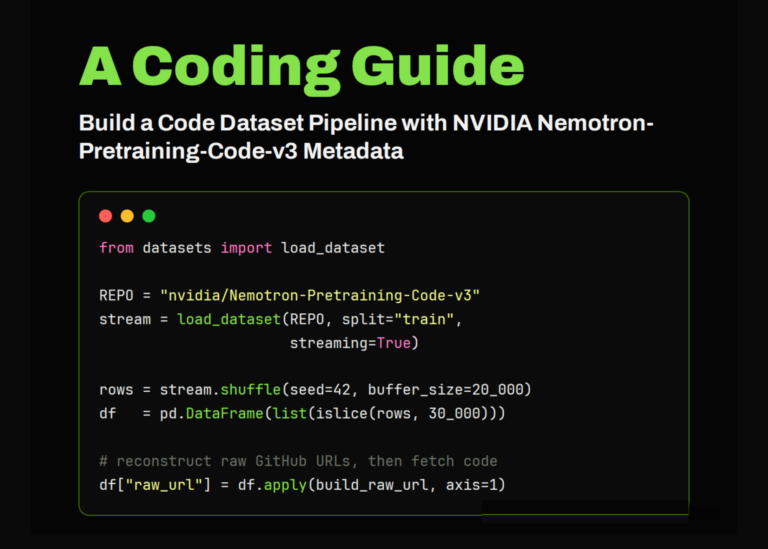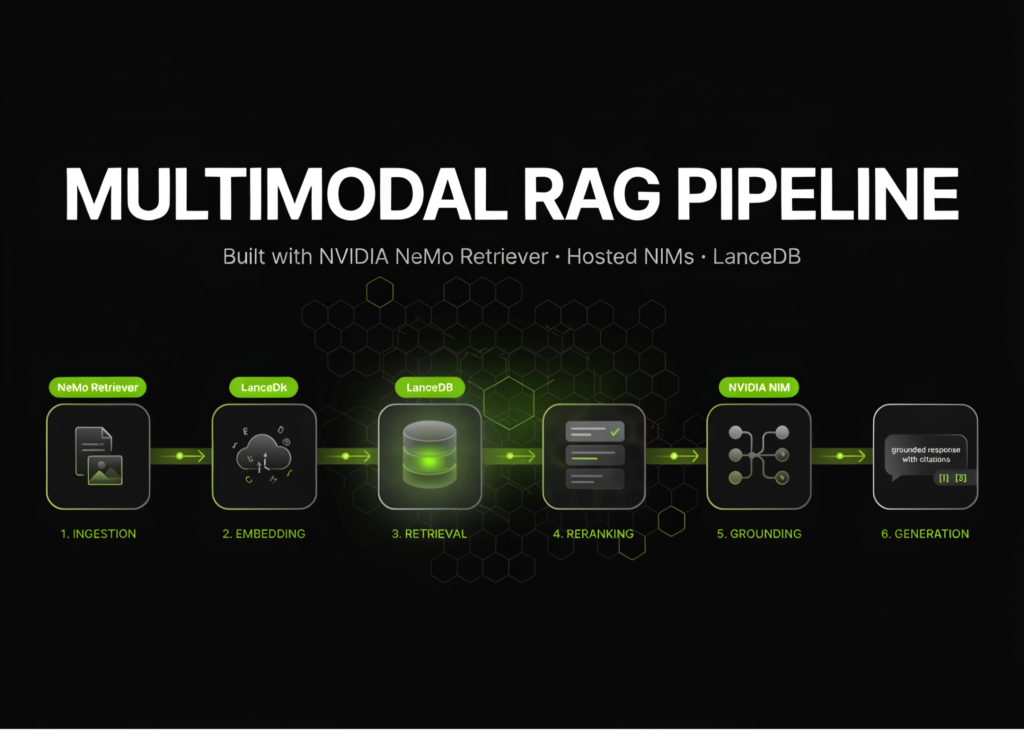
NVIDIA NeMo Retriever now supports a full multimodal RAG pipeline using hosted NIMs, LanceDB, and vision-language reranking. The tutorial builds a Python 3.12 environment to ingest a sample PDF without a GPU or API key first. It then moves to the hosted endpoints to detect page elements, extract tables and charts, and store the data in LanceDB. The final steps implement dense retrieval, vision-language reranking, metadata filtering, and grounded generation with inline citations.
The code starts by checking for Python 3.12 and installing the required packages. It downloads a test PDF and runs offline text extraction using PDFium. This stage works on the CPU and does not require an API key.
Stage 1: offline text extraction
The script imports the ingestion and retrieval components from the library. It defines the input document path and checks if the file exists. If missing, it downloads the sample multimodal PDF from the GitHub repository.
Next, the code creates an ingestor object set to run in-process mode. It allows the process to run without a GPU. The extraction parameters are set to pull only text, ignoring tables, charts, images, and infographics. The method specified is PDFium. The result is a dataframe containing the extracted rows and columns.
Stage 2: multimodal ingest via hosted NIMs
The script then handles the NVIDIA API key. It checks the environment variable first. If absent, it attempts to pull the key from Google Colab user data. If that fails, it prompts the user to enter the key manually.
Once the key is set, the code defines several hosted NIM endpoints. These URLs cover page element detection, OCR, table structure analysis, graphic element extraction, embeddings, reranking, and chat generation. The specific models used include the 1b-v2 versions for embeddings and reranking, and the 49b-v1.5 model for generation.
The ingestion pipeline is reconfigured to run in-process mode again. This time, it enables extraction of tables, charts, and infographics. The PDFium method runs at 200 DPI. Table output is set to markdown format. The code passes the specific NIM URLs for page elements, OCR, and graphics to the ingestor.
Deduplication is applied to the content using a content hash and bounding box intersection over union metric with a threshold of 0.45. Embeddings are generated using the hosted endpoint with a batch size of 16 and a concurrency limit of 8. The resulting vectors and metadata are uploaded to a LanceDB table using the IVF_HNSW_SQ index type with L2 distance metric.
Extraction inspection
The code loops through the columns for tables, charts, infographics, and images to count the extracted items. It then converts the dataframe to markdown by page and saves the full document markdown to a file named extracted.md.
Stage 3: dense retrieval
A retriever object is configured to run in service mode. It sets the top_k to 5 and disables reranking for this step. The vector index is pointed to the previously created LanceDB table. The embedding endpoint and model name are passed to the embed_kwargs.
Three test queries are defined. One asks about animals responsible for typos, another about the most expensive gadget, and the last about an animal at the beach. A helper function displays the results, showing the page number, similarity score, and a preview of the text.
The script runs a single query and then processes the batch of queries. For each result, it prints the item number, page, score, and text snippet.
Stage 4: retrieve + VL rerank
The final stage creates a new retriever instance, this time enabling vision-language reranking. The configuration mirrors the previous step, using the same LanceDB table and embedding settings. The code continues to define the reranking parameters.
What it means
Users can now process complex documents that contain mixed media types. The pipeline automatically handles the conversion of charts and tables into text that an LLM can understand. Retrieval accuracy improves because the system uses visual information to rank results, not just raw text similarity.