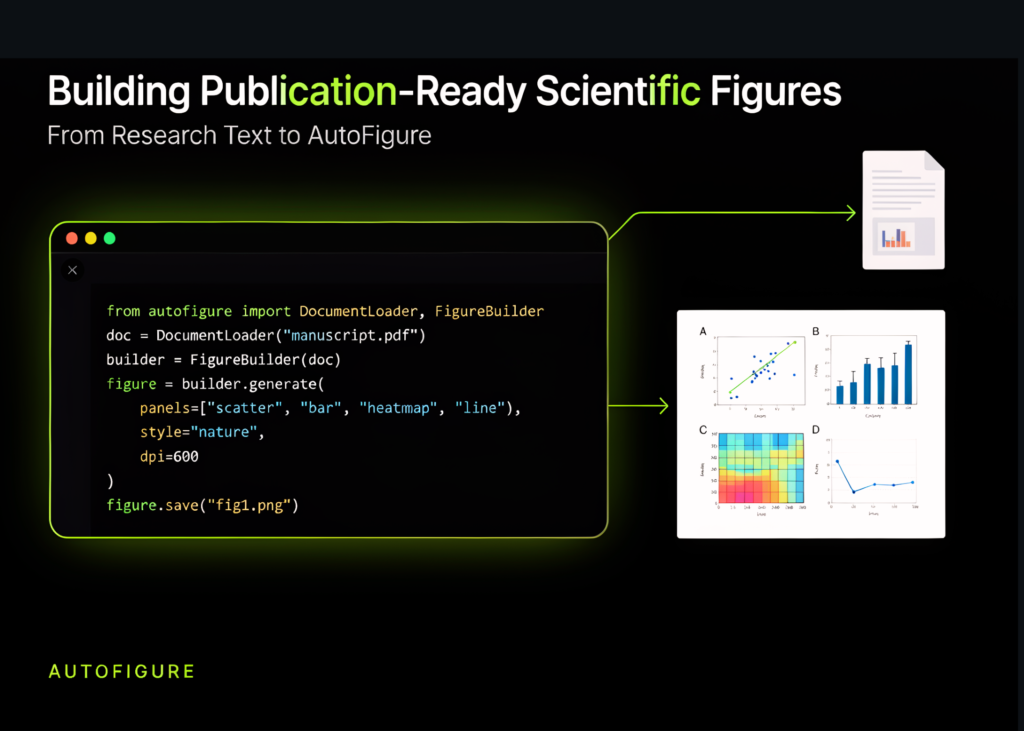
The AutoFigure toolkit lets users generate scientific figures directly from text descriptions, paper content, and structured methodological explanations. The tutorial sets up the complete environment, resolves dependency issues like Pillow compatibility, and prepares rendering tools for SVG and PNG outputs. It then builds a custom reference figure, configures an API-backed generation workflow, and converts a detailed agentic document intelligence pipeline into a publication-style scientific diagram. The process also tests offline SVG rendering, inspects the generated files, creates a sample paper and PDF, and exports the final outputs to a reusable gallery and a zip archive.
Setup and configuration
The script imports standard libraries such as os, sys, json, time, glob, shutil, textwrap, subprocess, and importlib. It defines paths for the repository, output root, and API provider settings.
import os
import sys
import json
import time
import glob
import shutil
import textwrap
import subprocess
import importlib
from pathlib import Path
from getpass import getpass
REPO_URL = "https://github.com/ResearAI/AutoFigure.git"
REPO_DIR = Path("/content/AutoFigure")
OUTPUT_ROOT = Path("/content/autofigure_colab_outputs")
PROVIDER = os.environ.get("AUTOFIGURE_PROVIDER", "openrouter")
DEFAULT_MODELS = {
   "openrouter": "google/gemini-3.1-pro-preview",
   "gemini": "gemini-3.1-pro-preview",
   "bianxie": "gemini-3.1-pro-preview",
}
GENERATION_MODEL = os.environ.get(
   "AUTOFIGURE_MODEL",
   DEFAULT_MODELS.get(PROVIDER, "google/gemini-3.1-pro-preview")
)
MAX_ITERATIONS = int(os.environ.get("AUTOFIGURE_MAX_ITERATIONS", "1"))
QUALITY_THRESHOLD = float(os.environ.get("AUTOFIGURE_QUALITY_THRESHOLD", "8.5"))
RUN_TEXT_TO_FIGURE = True
RUN_PAPER_TO_FIGURE = False
RUN_MXGRAPH_DEMO = False
RUN_IMAGE_ENHANCEMENT = False
TEXT_OUTPUT_FORMAT = "svg"
MXGRAPH_OUTPUT_FORMAT = "mxgraphxml"
ART_STYLE = (
   "clean publication-ready scientific illustration, precise alignment, subtle shadows, "
   "clear academic typography, high contrast, minimal clutter"
)
FIGURE_DESCRIPTION = """
Create a publication-ready scientific method figure for an agentic long-document intelligence system.
The figure should explain the following pipeline in a left-to-right architecture:
1. Long documents enter the system. They may be PDFs, scanned reports, markdown files, tables, or mixed-layout documents.
2. A document normalization layer extracts raw text, section hierarchy, tables, figures, and metadata.
3. A routing planner decides whether each section should go to summarization, field extraction, table reconstruction, visual analysis, or citation grounding.
4. Specialized expert modules process the routed chunks:
  - Summarizer expert creates hierarchical summaries.
  - Extraction expert returns JSON fields.
  - Table expert reconstructs exact tables.
  - Visual expert describes charts and diagrams.
  - Citation expert links claims to evidence spans.
5. A low-cost orchestration layer selects smaller or larger LLMs depending on complexity, confidence, and budget.
6. A verification layer checks schema validity, source grounding, table consistency, and confidence.
7. The final output is an analyst-ready workspace containing a summary, extracted fields, exact tables, cited answers, and audit logs.
Design requirements:
- Use a wide 16:9 layout.
- Use clear module boxes, arrows, and labels.
- Add small callouts for cost control, confidence scoring, and auditability.
- Avoid decorative clutter.
- Make the flow understandable for a finance or enterprise document intelligence audience.
"""
MINI_PAPER_MARKDOWN = """
# Efficient Agentic Document Intelligence for Long Financial Reports
## Abstract
We propose an agentic document intelligence architecture for extracting summaries, facts, tables,
and grounded answers from long, heterogeneous financial documents.
## Method
Our method first normalizes each incoming document into a structured document graph. The graph
contains section nodes, paragraph nodes, table nodes, figure nodes, and metadata nodes. A routing
planner assigns each node to a specialized expert according to modality, complexity, and required
output schema.
The system uses five experts. The summarization expert produces hierarchical summaries from
section-level chunks. The extraction expert fills strict JSON schemas for entities, dates, risks,
financial metrics, and obligations. The table expert reconstructs exact tables and validates row-column
alignment. The visual expert describes charts and diagrams. The citation expert maps every generated
claim to source spans.
A budget-aware orchestration layer selects model size dynamically. Simple chunks are processed by
low-cost models, while complex chunks are escalated to stronger models. A verification layer then checks
schema validity, citation support, numerical consistency, and table integrity. Failed checks are
routed back for repair.
## Experiments
We evaluate on financial filings and analyst reports using extraction accuracy, grounding precision,
table reconstruction quality, and total inference cost.
"""
def run(cmd, cwd=None, check=True, quiet=False):
   print(f"\n$ {cmd}")
   process = subprocess.run(
       cmd,
       shell=True,
       cwd=str(cwd) if cwd else None,
       text=True,
       stdout=subprocess.PIPE if quiet else None,
       stderr=subprocess.STDOUT if quiet else None,
   )
   if quiet and process.stdout:
       print(process.stdout[-5000:])
   if check and process.returncode != 0:
       raise RuntimeError(f"Command failed with exit code {process.returncode}: {cmd}")
   return process
def heading(title):
   print("\n" + "=" * 100)
   print(title)
   print("=" * 100)
def safe_read(path, max_chars=2500):
   path = Path(path)
   if not path.exists():
       return ""
   text = path.read_text(encoding="utf-8", errors="ignore")
   return text[:max_chars] + ("\n... [truncated]" if len(text) > max_chars else "")
def clear_loaded_modules(prefixes):
   for name in list(sys.modules):
       if any(name == prefix or name.startswith(prefix + ".") for prefix in prefixes):
           del sys.modules[name]
def get_colab_secret(names):
   try:
       from google.colab import userdata
       for name in names:
           try:
               value = userdata.get(name)
               if value:
                   return value
           except Exception:
               pass
   except Exception:
       pass
   return None
def collect_api_key(provider):
   env_candidates = [
       "AUTOFIGURE_API_KEY",
       "OPENROUTER_API_KEY",
       "GOOGLE_API_KEY",
       "GEMINI_API_KEY",
       "BIANXIE_API_KEY",
   ]
   for key_name in env_candidates:
       value = os.environ.get(key_name)
       if value:
           print(f"Using API key from environment variable: {key_name}")
           return value
   secret_candidates = {
       "openrouter": ["AUTOFIGURE_API_KEY", "OPENROUTER_API_KEY"],
       "gemini": ["AUTOFIGURE_API_KEY", "GOOGLE_API_KEY", "GEMINI_API_KEY"],
       "bianxie": ["AUTOFIGURE_API_KEY", "BIANXIE_API_KEY"],
   }.get(provider, ["AUTOFIGURE_API_KEY"])
   value = get_colab_secret(secret_candidates)
   if value:
       print("Using API key from Colab Secrets.")
       return value
   value = getpass(f"Paste your {provider} API key, or press Enter to skip cloud generation: ").strip()
   return value
The code defines helper functions to run commands, print section headings, read files safely, clear loaded modules, and securely collect API keys. It checks environment variables first, then looks in Colab Secrets, and finally prompts the user to paste a key.
Displaying and organising outputs
The next section defines functions to display files if possible and to create an output gallery. The display function checks the file path and suffix. If the file is a PNG, it shows an image. If it is an SVG, it renders the vector graphic. For JSON, markdown, text, or drawio files, it prints the content safely.
def display_file_if_possible(path, title=None):
path = Path(path) if path else None
if not path or not path.exists():
print(f"Missing file: {path}")
return
try:
from IPython.display import display, Image as IPImage, SVG, Markdown
if title:
display(Markdown(f"### {title}"))
suffix = path.suffix.lower()
if suffix == ".png":
display(IPImage(filename=str(path)))
elif suffix == ".svg":
display(SVG(filename=str(path)))
elif suffix in [".json", ".md", ".txt", ".drawio"]:
print(safe_read(path, max_chars=5000))
else:
print(path)
except Exception as exc:
print(f"Could not display {path}: {exc}")
def make_output_gallery(output_dir):
output_dir = Path(output_dir)
gallery_path = output_dir / "gallery.html"
blocks = []
for p in sorted(output_dir.rglob("*.png")):
rel = p.relative_to(output_dir)
blocks.append(f"""
<div class="card">
<h3>{rel}</h3>
<img src="{rel}" />
</div>
""")
for p in sorted(output_dir.rglob("*.svg")):
rel = p.relative_to(output_dir)
svg_text = p.read_text(encoding="utf-8", errors="ignore")
blocks.append(f"""
<div class="card">
<h3>{rel}</h3>
<div class="svgbox">{svg_text}</div>
</div>
""")
for p in sorted(output_dir.rglob("*.drawio")):
rel = p.relative_to(output_dir)
code = p.read_text(encoding="utf-8", errors="ignore")[:4000]
blocks.append(f"""
<div class="card">
<h3>{rel}</h3>
<p>Editable draw.io mxGraph XML file.</p>Source Read original →Related articles