A British invoice for Aurora Robotics Ltd totals £3,531.60. The document details purchases including a servo controller board, harmonic drive gearboxes, and an on-site calibration service. This text is the starting point for a tutorial on building an end-to-end document intelligence pipeline using docTR.
Generating synthetic test data
The tutorial begins by creating realistic invoice images. Code defines two lists of text coordinates, font sizes, and bolding flags. One list generates the main invoice page, while a second list creates an appendix regarding a delivery schedule.
A function renders these lists into pixel-based images. It uses the DejaVu Sans font family, drawing text in dark grey against a light grey background. Horizontal lines separate sections, such as the description of items from the totals.
The script then degrades these clean renders to mimic real-world scans. It applies rotation, adds Gaussian noise, and adjusts JPEG quality. The code saves three variations: a standard scan of page one, a scan of page two, and a version of page one rotated by 13 degrees.
Finally, the script compiles the clean images into a PDF. It sets the resolution to 150 dpi. The code also prepares a rotated image file for testing how the system handles skewed documents.
Loading and inspecting documents
The tutorial uses DocumentFile to load the generated images and PDFs. It creates instances for the two-page scan, the high-resolution PDF, and the rotated image.
Print statements reveal the shape and data type of the loaded pages. A note explains that body text should be at least 10 pixels tall for the recognition model to perform well. Users are advised to bump the scale parameter to 3 or 4 for dense 8pt text.
Building the OCR predictor
The code constructs an OCR predictor using the ocr_predictor function. It accepts arguments for detection architecture, such as db_resnet50, and recognition architecture, such as crnn_vgg16_bn.
The script checks for GPU availability. If a CUDA device is present, it moves the model to the GPU. If the move fails, it prints an error message but continues. The function returns the configured predictor ready for inference.
Benchmarking and two-pass recognition
A helper function times the predictor. It runs a warm-up phase to load weights and tune cudnn settings before measuring actual inference speed. The code executes the function multiple times to average the results.
The configuration dictionary enables several features. It sets flags to run benchmarks, a second pass for low-confidence words, rotation handling, layout detection, and Knowledge Intensive Extraction (KIE).
When processing text, the system can run a second pass on words with low confidence scores to improve accuracy. It also allows for custom pipeline hooks to filter bounding boxes or adjust padding.
Handling layout and tables
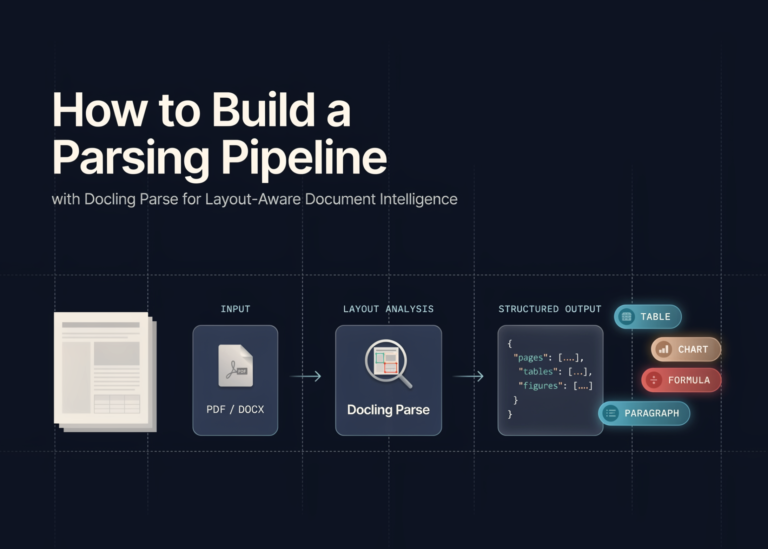
The pipeline reconstructs the reading order of the document. It identifies tabular information, such as the quantity and unit price columns in the invoice.
Layout detection helps separate headers from body text. The system extracts structured fields like the invoice number, date, and total due amount. For the example invoice, it pulls the subtotal of £2,943.00 and the VAT of £588.60.
Exporting results
The final step exports the processed data. The output includes plain text, JSON, hOCR format, and synthesized document images. The code also generates a searchable PDF.
Users can inspect the internal document hierarchy to verify the extraction. Visualisation tools plot confidence-aware bounding boxes around the detected text.
What it means
Developers can now move from basic text recognition to complex document understanding. The workflow handles rotated pages, noisy scans, and structured data extraction in a single pipeline. This approach reduces manual data entry for invoices and forms.