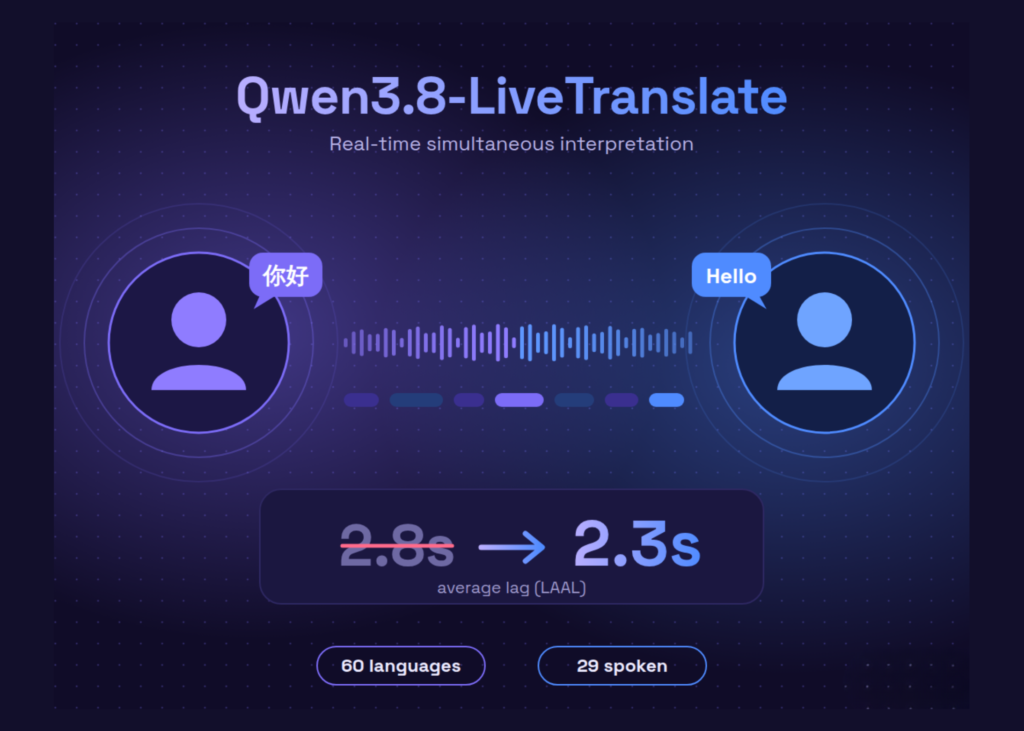
Alibaba’s Qwen team has launched Qwen3.8-LiveTranslate, a real-time interpretation model that reduces average processing lag to 2.3 seconds across 60 languages.
The system listens to live speech, optionally processing video frames, and outputs translated text and audio while the speaker is still talking. The core update is a new Interleave architecture. Qwen reports improved faithfulness, fluency, and conciseness. The Length-Adaptive Average Lagging (LAAL) metric dropped from 2.8 seconds to 2.3 seconds.
The release also introduces real-time speaker diarization, synchronized bilingual display, and long-context disambiguation. The model is available as a hosted API on Alibaba Cloud Model Studio and QwenCloud under the identifier `qwen3.8-livetranslate-flash-realtime` over WebSocket.
How the delay reduction works
Simultaneous interpretation involves a tradeoff. Waiting longer provides more context for the model. Speaking sooner reduces delay for the listener. Qwen3.8-LiveTranslate rebuilds this loop with the Interleave architecture.
The latency metric is LAAL. It measures how far the translation trails the source speech on average. The metric also prevents systems from being rewarded for over-generating output. The reduction from 2.8 seconds to 2.3 seconds represents an 18% cut in average lag.
The QwenCloud team describes the model as the real-time version of Qwen3.8-LiveTranslate-Flash. It builds on the Qwen-Omni stack, large-scale multimodal data, cross-language and cross-modal alignment, and visual enhancement. The Flash model supports offline audio and video translation.
Three new features
- Real-time speaker diarization: The model distinguishes speakers in multi-party speech. It preserves each speaker’s voice through more stable voice cloning. The API exposes cloning modes, including an `always` mode that re-clones before each response for multi-speaker sessions.
- Synchronized bilingual display: Source text and translation appear on screen together. In the API, source transcription streams as its own events next to the translation stream.
- Long-context disambiguation: The model uses conversation history to resolve names and terminology. A name introduced early in a meeting stays consistent later in the translation.
The documentation includes an explainer that walks through the interleaved stream, speaker tagging, context disambiguation, language coverage, and session cost.
Supported languages and visual inputs
The model understands 60 languages. It can speak 29 of them, returning audio plus text. The remaining 31 return text only. Speech output covers Chinese, English, Arabic, German, French, Spanish, Japanese, Korean, Hindi, and others.
Inputs are audio and optional images. Outputs are text and audio. Visual cues such as lip movements, gestures, and on-screen text help in noisy rooms and with ambiguous words. The docs recommend sending no more than 2 images per second.
Teams can also set hotwords. These map source terms to fixed target translations. The docs recommend configuring no more than 1,000 hotwords.
API details and pricing
Developers connect through the WebSocket Realtime API with the model ID `qwen3.8-livetranslate-flash-realtime`. The default turn detection type is `speaker_detection`. Clients stream audio continuously and receive server-generated responses.
Default audio is 16 kHz PCM in and 24 kHz PCM out. The default voice is Tina. Set `session.output_modalities` to text only, or text and audio. Always send `session.finish` before closing, or the final segment is lost.
Singapore list pricing per 1M tokens:
- Audio input: $7.50
- Image input: $0.55
- Text output: $20
- Audio output: $30
Beijing pricing is lower, at $5.653, $0.466, $14.133, and $22.613 in USD. Audio input consumes 7 tokens per second. Audio output consumes 12.5 tokens per second. One hour of speech in and speech out costs about $1.54 in Singapore, before text and image tokens.
The context window is 53,248 tokens, with 49,152 for input and 4,096 for output. Default rate limits are 10 requests and 100,000 tokens per minute. Model Studio lists function calling, structured outputs, batch inference, and fine-tuning as unsupported.
What it means for users
Developers integrating this tool can expect lower latency in live meetings and broadcasts. The ability to process video frames alongside audio helps in environments where visual context clarifies meaning. Users relying on the bilingual display will see both the original and translated text simultaneously, reducing the cognitive load of switching between languages. The speaker diarization feature ensures that multi-person conversations remain distinct and consistent throughout the session.