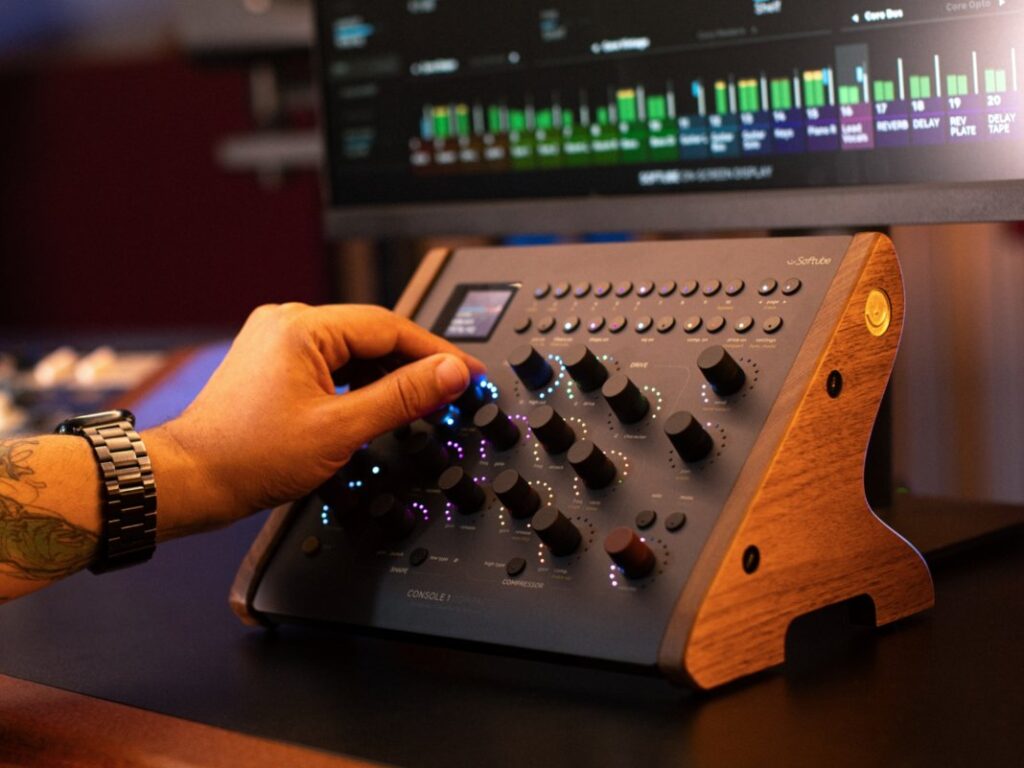
Softube has launched the Console 1 Compact, a smaller, cheaper version of its popular mixing controller designed for desks with limited space.
The new unit aims to deliver the sound and workflow of a large-format studio console to producers and engineers working in compact or mobile environments.
Workflow and software
The controller maintains the layered, one-to-one workflow of the larger Console 1 models. Users control input, preamps, tape, filters, shape, EQ, compression, and output drive directly. Each knob and fader maps to a specific parameter without requiring additional configuration.
It integrates with major digital audio workstations including Logic Pro, Cubase, Ableton Live, and Pro Tools. Channel strips can be customised using Softube’s own software alongside supported plugins from developers such as FabFilter, Universal Audio, and Plugin Alliance.
Hardware specifications
The device features 16 touch-sensitive Analogue Feel potentiometers. Softube states this offers more than ten times the resolution of the Console 1 Mk II generation. A high-resolution smart screen and RGB LED feedback indicate the user’s current layer and mixing choices.
The goal is to recreate the tactile experience of expensive outboard gear while remaining compact enough for crowded studio desks.
The chassis is finished in bead-blasted aluminium with a ‘Nordic Night Sky’ coating. Connectivity is provided via USB-C. The unit supports VESA mounting and Softube’s Single Unit Stand solution.
“Console 1 Compact is the perfect travel companion for Console 1 Channel Mk III users, the perfect upgrade for Console 1 Mk II users, the perfect way for Flow Studio users to tighten up the final details of a mix, and the perfect way for Flow Suite subscribers to take advantage of their channels strips and take control of their plug-ins in a truly hands-on way,” says the company.
The post first appeared on MusicTech.