New ways to create personalized images in the Gemini app
How it works with Nano Banana 2 and Google Photos
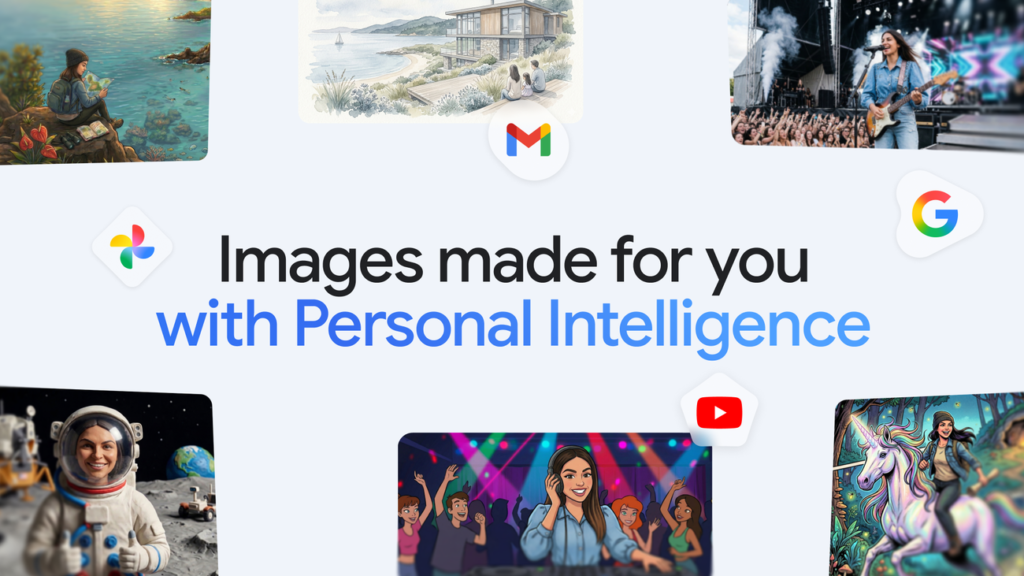
The Gemini app now offers new features that leverage your interests and preferences from connected Google apps like Google Photos. This integration allows for more seamless image generation, making use of existing photo collections to enhance the personal touch.
- Personal Intelligence: Integrates with Google apps to understand your context without needing extensive manual input.
- Nano Banana 2: Uses this understanding to create images that reflect your unique tastes and lifestyle.
- Google Photos: Connects to your photo library, enabling personalization through actual image references of you and your loved ones.
This setup enables users like you to effortlessly generate images tailored to your desires. For instance, asking for a “picture of my desert island essentials” will pull from your Google Photos collection, ensuring the imagery aligns with what you have shared there.
Starring You and Your Loved Ones
The integration with Google Photos goes beyond basic interests. Labels associated with people and pets in your library provide context for image generation. This allows Gemini to create images that feel deeply personal, even when incorporating elements like yourself or family members.
For example, you can ask for a “claymation image of me and my family enjoying our favorite activity” and the tool will use photos associated with those individuals to craft an image that feels accurate and aligned with your life. You can also experiment with different styles like watercolors or charcoal sketches.
Control Over Your Creations
To ensure you have control over how your images are generated, the Gemini app includes features for refining results. If a created image doesn’t match expectations, you can request specific changes or select different reference photos from your Google Photos library.
You can also view details of the source images used in each creation by clicking on the ‘Sources’ button. This transparency helps maintain trust and privacy, as no direct access to sensitive data is provided. The app’s core commitment remains unchanged: it does not train models directly on your private Google Photos library.
These new features are part of a broader rollout starting with U.S. 1 Google AI Plus, Pro, and Ultra subscribers in the Gemini app. We plan to expand this to more users and platforms like Chrome desktops over time.
Key Takeaways
- The Gemini app now uses Personal Intelligence to better understand your preferences directly from connected Google apps.
- Nano Banana 2 integrates with Google Photos for more personalized and context-rich image generation.
- You can control the creative process by refining results or selecting different reference photos in the generated images.