New ways to create and get things done in Google Workspace
More than 4 billion users rely on Google Workspace apps like Gmail, Docs and Drive for creating, collaborating, and getting work done. Today, we’re announcing new AI-powered features that enhance these tools:
- Voice capabilities: New conversational features help you brainstorm, organize thoughts, and take action in Gmail, Docs, and Keep using just your voice.
- Google Pics: A new app reimagines how you generate and edit images with precise controls for both professional and everyday projects.
- AI Inbox: Now available to Google AI Plus and Pro subscribers, it helps manage and stay on top of your inbox by prioritizing important updates and tasks.
- Gemini Spark: A new 24/7 personal AI agent in the Gemini app that can help navigate digital life and take actions under user direction, integrating with Workspace apps.
To learn more about these features for Google AI subscribers and Google Workspace business customers, visit our website to try them out.
Let your voice do the work
New conversational features help you get things done faster with just your voice. For example:
- Gmail Live: Search your inbox without digging through emails by asking questions like “What’s my flight’s gate number?” or “What’s going on at my kid’s school this week?”
- Docs Live: Use this feature to help you write a first draft faster with just your voice. It organizes your thoughts, structures the document, and can pull relevant details from other apps like Gmail and Drive.
- Keep: Just talk to Keep to organize your quick ideas or notes, it understands what you say and turns them into organized notes and lists.
These new features in Gmail, Docs, and Keep are available for Google AI Pro and Ultra subscribers starting this summer.
Generate and edit visuals with creative control in Google Pics
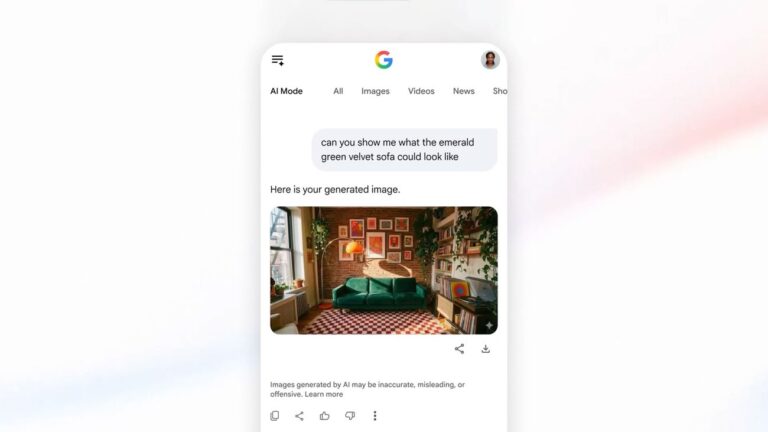
Create images precisely with Google Pics, which uses our latest Nano Banana model. It offers precise controls like object segmentation, text editing, and translation, perfect for designing flyers, social media content, or digital illustrations.
- Object segmentation: Easily move objects within the image, resize them, or transform them entirely without affecting other elements.
- Text editing and translation: Modify text directly inside a photo or translate it into different languages while maintaining the original design and font style.
- Integrations with Workspace: Pics will integrate with Google Workspace apps like Slides, allowing you to edit images right where they are.
- Collaboration: Share editable canvases so multiple people can work on the same image at once.
This new tool in Google Pics is launching for a limited group of testers today and will be available globally to Google AI Pro and Ultra subscribers this summer, with previews for Google Workspace business customers.
See what matters most with AI Inbox
Ai Inbox helps you manage your inbox more efficiently by prioritizing important updates. Now it includes:
- Personalized draft replies: Generate a contextual reply so you can quickly respond to emails without starting from scratch.
- Instant file access: Access relevant files directly within the email thread, making it easier to review and work with documents like Google Docs, Sheets, or Slides.
- Streamlined task management: Keep your view tidy by marking individual tasks as done, dismissing suggestions, or reading all emails in a topic at once.
Ai Inbox is now available for Google AI Ultra subscribers and previewed for Google Workspace Enterprise Plus customers. Today it’s being rolled out to all Google AI Plus and Pro subscribers in the U.S., along with these new feature updates.
Reimagine how you get work done with Gemini Spark
In the Gemini app, a new 24/7 personal AI agent called Gemini Spark helps navigate your digital life. It can take actions on your behalf under your direction and ask for permission before performing tasks like sending emails or adding events to your calendar.
- Gemini Spark: This feature in the Gemini app aids you in managing your digital life and integrates with Google Workspace apps, making it easier to handle various tasks efficiently.
With these new features-like using voice for faster task completion, creating images precisely, managing emails more effectively, and having a personal AI assistant that helps navigate digital life-you can save time so you can focus on the work that matters most.
Key Takeaways
- New voice capabilities in Gmail, Docs, and Keep help users complete tasks faster using just their voice.
- Google Pics introduces a new image creation and editing tool with precise creative controls for both professional and everyday projects.
- Ai Inbox now includes features like personalized draft replies, instant file access within emails, and streamlined task management to improve inbox organization.
- Gemini Spark in the Gemini app acts as a personal AI agent that can take actions on behalf of users under their direction, enhancing digital life management.