Meta has released Muse for Mac, a desktop application that allows an AI agent to perform actions directly on a user’s computer. The software is currently available as a free download for macOS users in the United States only. It functions as a hosted consumer agent rather than an open model that users can run locally.
What Meta Shipped
Mark Zuckerberg announced the application on X, stating that it operates across apps, files, calendar, notes, and messages. He added that the team is shipping fast. Meta’s Chief AI Officer, Alexandr Wang, posted about the launch on the same day.
The Mac version is not the first release of the software. Muse launched on September 8th in the US for iOS, Android, the web, and WhatsApp. TechCrunch reported that the app quickly rose to the top of the U.S. App Store charts following that initial launch.
Muse for Mac is out today! It works across apps, files, calendar, notes, and messages on your computer. You control what it can access. The team is shipping fast. Download at https://t.co/BX3oX19Zcl
— Mark Zuckerberg (@finkd) September 17, 2026
What Muse for Mac Can Do
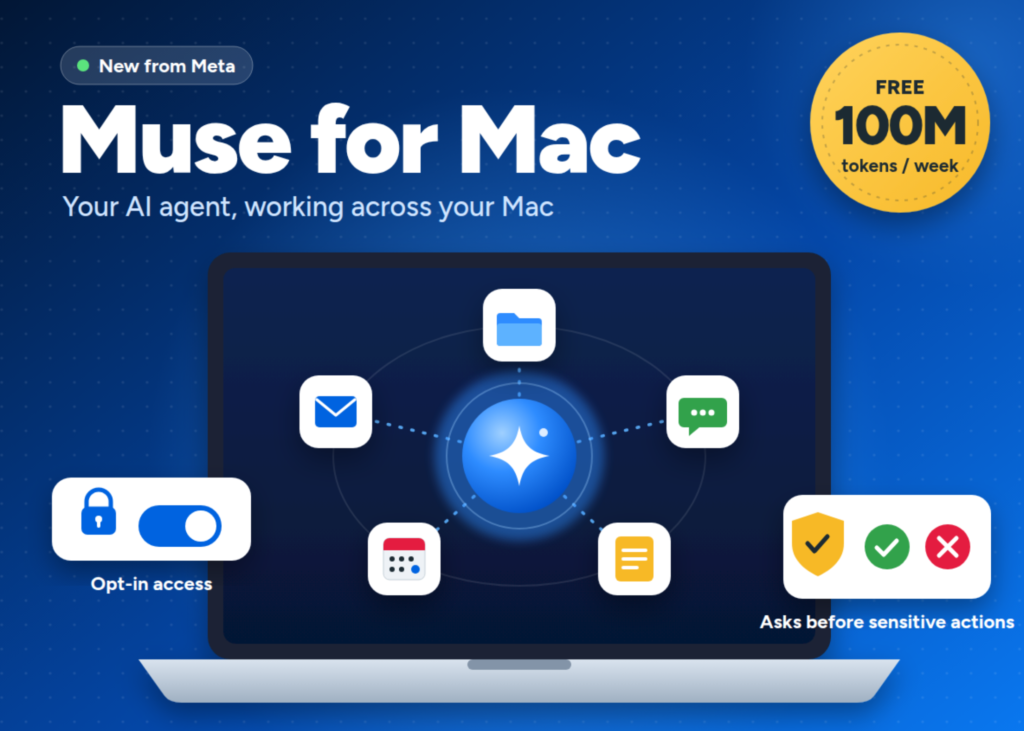
On the Mac, Muse interacts with files, messages, calendar, notes, and mail within their native applications. Meta frames the utility around everyday tasks that span several apps. Users can ask it to organize folders, finish a form using information stored in files, or build an end-of-day summary from emails, messages, and notes.
The practical shift is context gathering. A standard chatbot requires a user to copy and paste information into a prompt. Muse can potentially collate different pieces of context across the computer. One task might touch a Calendar event, a Mail thread, a document in a folder, and a Messages conversation.
Muse also runs asynchronously. Meta noted that the agent continues working in the background even when the desktop window is closed. A user can start a task on a phone, check in from a laptop, or nudge it through WhatsApp, with Muse keeping the thread across devices.
How Permissions Work
Local access raises the stakes, so the controls matter most here. Access to a computer is opt-in, while Full Disk Access is optional. A user decides what permissions Muse gets and can change them anytime through Settings.
Destructive or outbound actions are gated. Meta says sensitive actions such as deleting files or sending messages require approval. In practice, Muse can sort a folder freely but must stop before it deletes anything. It can draft a summary but must ask before sending it.
The Stack Behind Muse
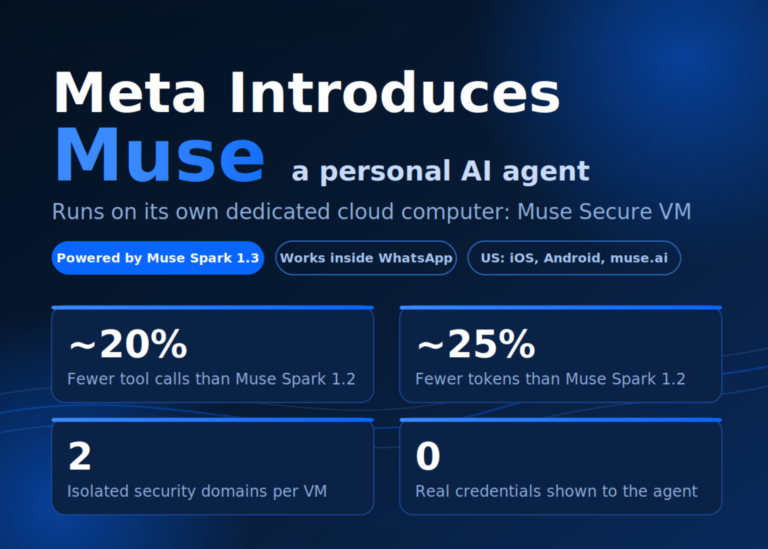
Muse is powered by Muse Spark, Meta’s most capable model to date, built for real-world agentic work. The same model powers Muse Code, a coding agent available for MacOS and Windows.
The cloud side runs on Muse Secure VM. Muse runs on its own dedicated computer in the cloud, contained so no one else’s agent can reach it. A separate Sentinel agent runs on that same machine, kept apart from Muse at the system level. Nothing Muse does reaches the internet unless the Sentinel approves it.
There is one caveat worth stating plainly. Secure VM isolates a user’s data from other users, but it does not prevent Meta from accessing that data when necessary to operate the service. Meta plans to introduce Muse Confidential VM later in 2026, encrypting the entire VM with a key only the user holds. Meta also runs a public bug bounty for Muse.
Interactive Explainer: How Muse for Mac Gets a Task Done
When a user gives a command, Muse Spark gathers the necessary context from the specified apps. It checks the Sentinel agent to ensure the action complies with safety rules. If the action is safe, the agent executes it. If the action is destructive, like deleting a file, the agent pauses and asks for permission. Once approved, the task completes.
Key Takeaways
- Muse for Mac is Meta’s first Muse version that acts directly on a user’s computer.
- It works with Files, Mail, Messages, Calendar and Notes in their native apps.
- Access is opt-in, Full Disk Access is optional, and settings can change anytime.
- Deleting files or sending messages always requires a user’s approval first.
- The service is free up to 100M tokens per week and is available in the US only for now.