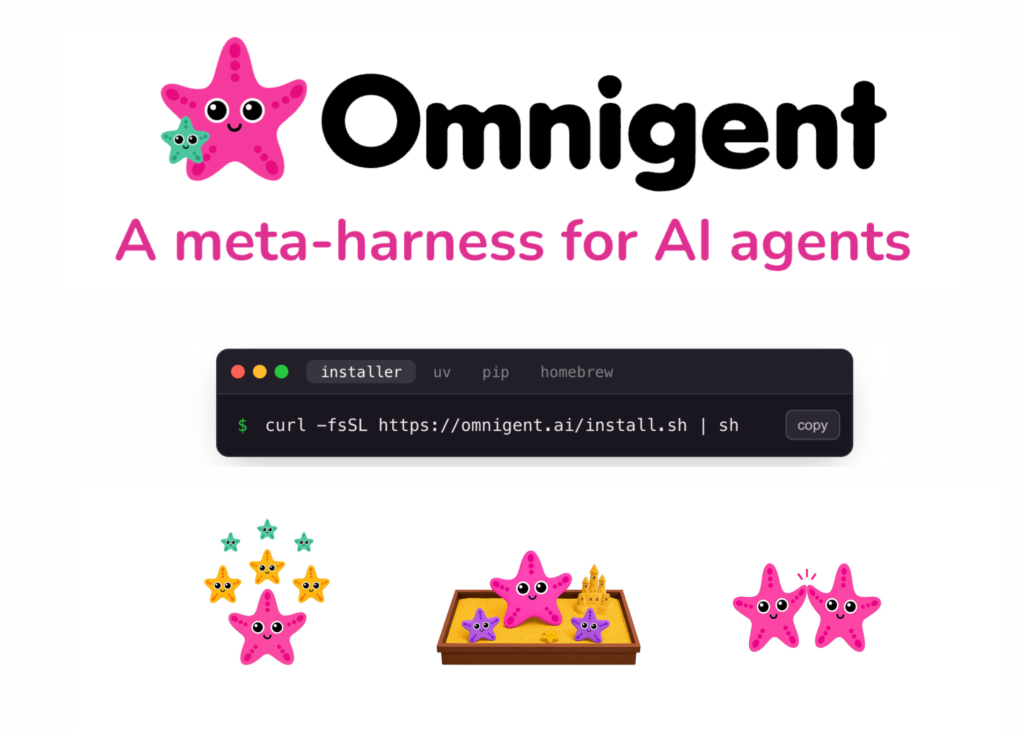
Databricks has released Omnigent, an open-source meta-harness designed to compose, govern, and share AI agents across different platforms like Claude Code, Codex, and Pi. The project is licensed under Apache 2.0 and was built by the Databricks AI team using Neon.
A harness acts as the wrapper that transforms a model into an agent. While tools like Claude Code, Codex, and Pi are individual harnesses, Omnigent operates one level above them. It treats each harness as a modular component within a larger system.
Developers frequently manage four or five agents simultaneously, copying data between coding tools, search utilities, documentation, and Slack. Since each harness understands only its own sessions, Omnigent introduces a shared layer for composition, control, and collaboration.
What is Omnigent
Omnigent serves as a common interface for command-line agents and agent SDKs. It wraps terminal-based coding agents such as Claude Code, Codex, and Pi, as well as SDKs like OpenAI Agents and the Claude Agents SDK.
The design relies on a single observation: regardless of how a harness calls its model internally, the user-facing interface remains consistent. Inputs consist of messages and files, while outputs are text streams and tool calls. Omnigent standardises this interface, making harnesses interchangeable.
You provide the models and infrastructure; Omnigent runs the agents on top. It can coordinate multiple agents as interchangeable workers under a single orchestrator.
How Omnigent Works
The architecture consists of two parts. A runner wraps any agent in a sandboxed session with a uniform API. A server provides policies and sharing capabilities, exposing every session via terminal, app, and web APIs.
One command initiates a session in your terminal and launches a local web UI at localhost:6767. The same session appears in the browser or on a mobile device. Messages, sub-agents, terminals, and files stay synchronised.
The CLI installs under two interchangeable names: omnigent and omni. On first run, it detects model credentials already present in your environment.
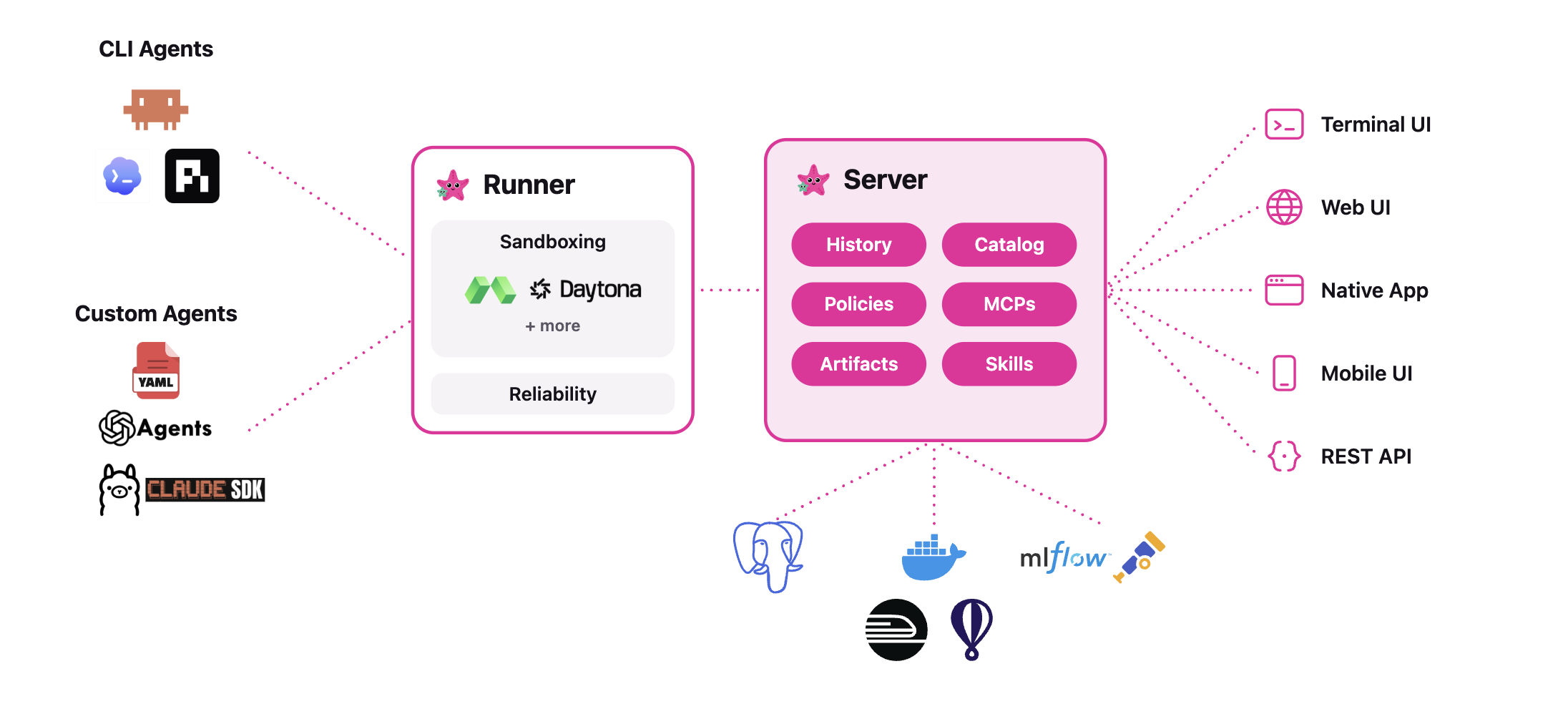
Composition, Control, and Collaboration
The Databricks team structures Omnigent around three core capabilities:
- Composition allows combining models, harnesses, and techniques without rewriting code. You switch between Claude Code, Codex, Pi, and custom agents with a single line change.
- Control involves stateful, contextual policies. These track agent actions and enforce guardrails at the meta-harness layer rather than through prompts. Examples include pausing an agent after every $100 spent or requiring human approval for
git pushonce a new npm package is installed. - Collaboration enables sharing live agent sessions via URL. Teammates can watch the agent work and chat with it in real time. They can comment on files, co-drive the session, or fork the conversation.
An OS sandbox called Omnibox underpins this system. It can restrict OS access and transform network requests. For instance, it can keep your GitHub token hidden from the agent, injecting it only into the egress proxy for approved requests.
Use Cases and Examples
Two example agents ship with the repository:
- Polly is a multi-agent coding orchestrator. It writes no code itself. It plans, then delegates work to coding sub-agents in parallel git worktrees. Each diff routes to a reviewer from a different vendor than the writer. You merge the result.
- Debby is a brainstorming partner with two heads. One head is Claude, the other GPT. Every question goes to both, with answers shown side by side. Type
/debateand the heads critique each other before converging.
Other practical patterns follow the same shape. A frontier advisor model can guide a cheaper open-source worker. A lead agent can orchestrate parallel sub-agents. Different LLMs can handle planning, search, and code generation in one flow.
Interactive Concept Demo
The Marktechpost team has created an interactive demo (below) that lets you experience Omnigent’s meta-harness workflow firsthand. You pick a task for the Polly orchestrator, which plans it and delegates to three sub-agents: Claude Code, Codex, and Pi running in parallel with live streaming steps. A session cost meter ticks up as they work, and two policy toggles demonstrate Omnigent’s control layer: the cost budget pauses the run at $3.00 for your approval, and a contextual policy halts a git push following an npm install until you allow it. Once sub-agents finish, each diff is cross-reviewed by a different vendor than the writer, then marked ready to merge. Terminal, Web, and Mobile tabs show the same session staying in sync across interfaces. This is an illustrative simulation; no live models are called.
Omnigent Meta-Harness
One orchestrator. Many harnesses. One governed session.
Interactive concept demo
$0.00
3 diffs cross-reviewed by a different vendor than the writer.
Illustrative simulation of the Omnigent workflow, no live models are called.
Learn more at omnigent.ai ·
GitHub · Apache 2.0 · Alpha.
Related articles