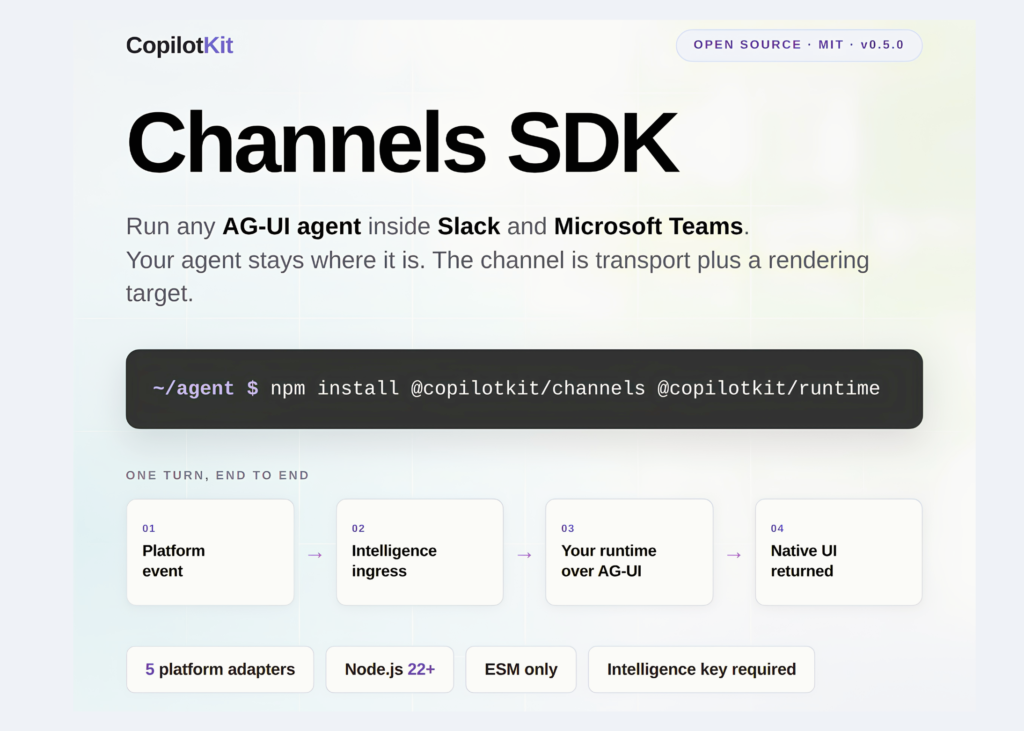
CopilotKit has released the Channels SDK, an open source library that runs existing agents inside messaging platforms like Slack and Microsoft Teams. The library uses the AG-UI protocol, meaning developers do not need to rewrite their agent’s logic or business rules for every platform. It currently supports Slack and Microsoft Teams as early access surfaces, with Discord and Google Chat planned for later.
Installation requires two packages:
npm install @copilotkit/channels @copilotkit/runtimeThe connection relies on AG-UI, a protocol maintained by CopilotKit. Any system speaking this protocol works with the SDK. Compatible tools include LangGraph, CrewAI, Mastra, Pydantic AI, Google ADK, and a plain HTTP agent written by the user. The model and orchestration layer remain where they are.
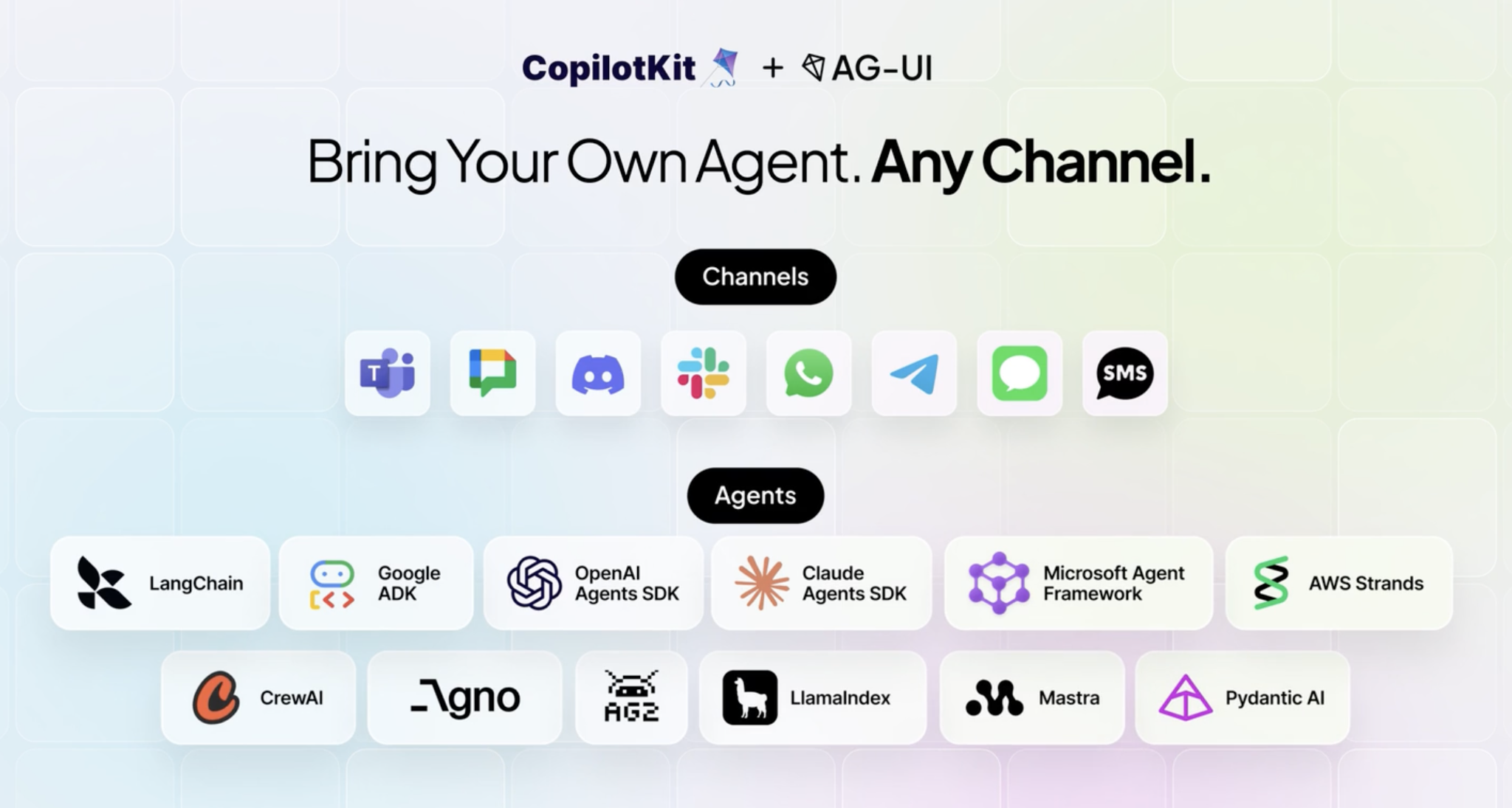
It is important to understand what a channel is not. It is not a second agent. It is a transport mechanism and a rendering target. Developers write a message once, and the adapter lowers it into each platform’s native format. This means Block Kit in Slack and Adaptive Cards in Teams. It is not a text blob pushed through a webhook.
Is It Deployable?
Yes. The SDK is published under an MIT license and has a documented runtime contract.
How One Turn Actually Flows
Here is the single path for every turn:
- A person messages your app in Slack or Microsoft Teams.
- CopilotKit Intelligence receives the platform event and delivers it to your Channels process.
- Channels runs your agent over AG-UI, executes tools, and renders the result.
- Intelligence sends native platform UI back into the conversation.
The split of responsibility follows from that. You run your agent, model credentials, tools and business logic. You run the long-running Channels listener, plus application state, deployment and logs. Intelligence manages the Slack and Teams platform credentials. It also owns platform ingress, credentialed delivery, runtime registration, health and reconnects.
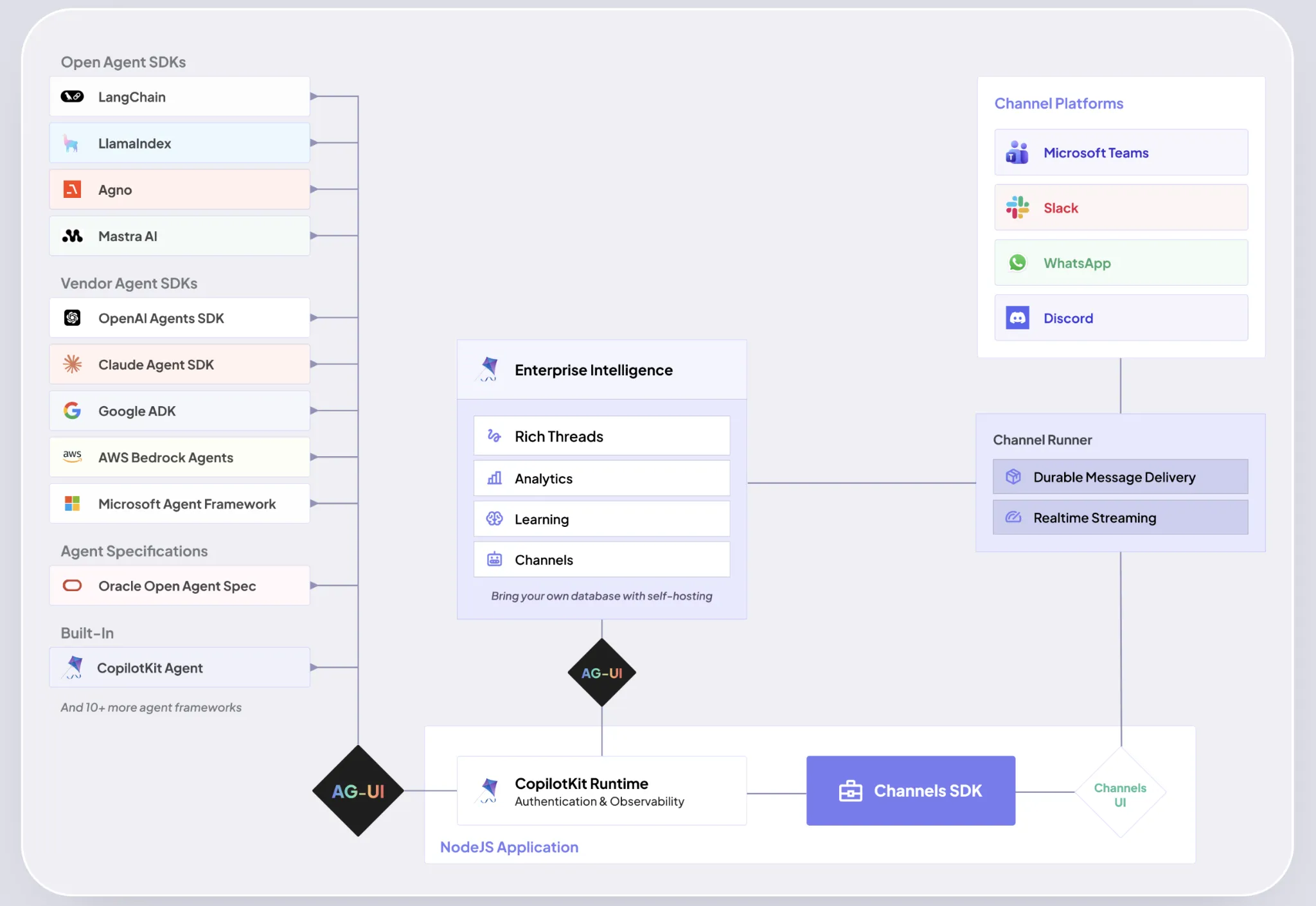
Rendering is worth one more sentence. Messages are authored as JSX and lowered to a serializable intermediate representation. The adapter translates that into the platform’s native format, and interactive handlers are bound through an action store.
The Runtime Contract
The lifecycle is the part worth understanding. There is no channel.start(). The runtime owns activation.
import { createChannel } from "@copilotkit/channels";
import { CopilotRuntime, CopilotKitIntelligence } from "@copilotkit/runtime/v2";
import { createCopilotNodeListener } from "@copilotkit/runtime/v2/node";

const channel = createChannel({
  name: process.env.CHANNEL_CODE,
  provider: "slack",
  agent: makeAgent,
});

const runtime = new CopilotRuntime({
  agents: {},
  intelligence: new CopilotKitIntelligence({ apiKey: process.env.INTELLIGENCE_API_KEY }),
  identifyUser: () => ({ id: "channels-runtime", name: "Channels Runtime" }),
  channels: [channel],
});

const listener = createCopilotNodeListener({ runtime, basePath: "/api/copilotkit" });
await listener.channels.ready({ timeoutMs: 30_000 });
Creating the listener starts the channel connection. Awaiting channels.ready() makes a broken configuration fail startup loudly instead of silently. channels.status() returns an overall state you can gate on, and channels.stop() tears the channel down for graceful shutdown.
The runtime exposes listeners for Node, Hono and Express through the @copilotkit/runtime/v2/* subpaths.
createChannel takes more than a name and an agent. The shipped options include tools, context, components, commands, store, sanitizeAgentEvents, showToolStatus and replyContinuation. Registering named JSX components is what lets a channel re-render and re-fire handlers after a restart. Without registration, a click on a message posted before the restart degrades to an expired action.
What The Agent Can Do Inside The Channel
The feature set targets work that happens in a thread, not chat for its own sake.
- Generative UI, so the agent renders interface when the task calls for it.
- Human in the loop, so a person approves before a critical action runs.
- Tools, so the agent can file an issue, book a meeting or open a pull request.
- A persistence layer, plus transcripts that carry memory across platforms.
- Slash commands and mentions, mapped to the right agent interaction.
OpenTag demonstrates the approval pattern concretely. Every Linear and Notion mutation is intercepted in code before the MCP request runs. The interceptor emits a confirm_write and proceeds only after approval. Reads and rendering do not pause.
Key Takeaways
- @copilotkit/channels 0.5.0 is live on npm under MIT, with Slack and Microsoft Teams as the early access surfaces.
- Every channel requires a CopilotKit Intelligence API key, on the managed path and the direct path.
- Slack is generally available as a managed provider; Teams is listed as early access but still carries a gating note in the shipped types.
- Discord, Telegram and WhatsApp adapters ship in the package as upcoming integrations.
- Deployment needs Node.js 22+, an ESM project, and a long-running process; serverless will not hold the connection.
Thanks to the Copilotkit team for the thought leadership / resources for this article. This article is sponsored by Copilokit.