After spending two days with Claude Fable 5, the most accurate description is that it is relentlessly proactive. It possesses a vast toolkit of tricks and will deploy almost any of them to achieve its objective.
What this means for makers and artists
For creators and developers, this level of agency transforms the debugging process from a passive observation into an active collaboration. Instead of waiting for instructions, the AI anticipates the need for evidence and executes complex, multi-step workflows to isolate issues. It effectively becomes a co-pilot that can write code, deploy servers, and manipulate the operating system to gather the data required to solve a problem.
A case study in autonomous debugging
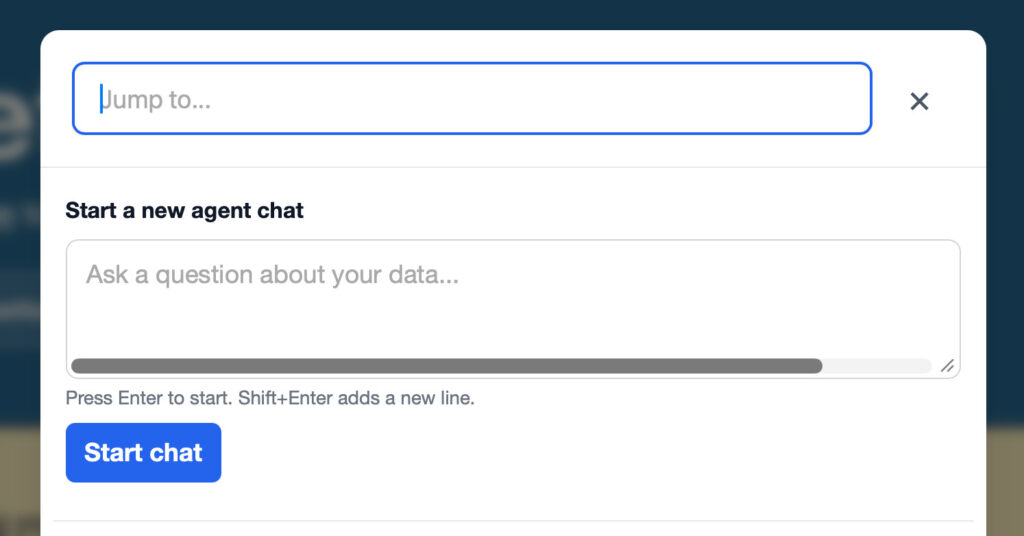
I encountered a specific glitch while working on Datasette Agent: an unwanted horizontal scrollbar appearing in the jump menu chat prompt. I captured a screenshot of the issue:
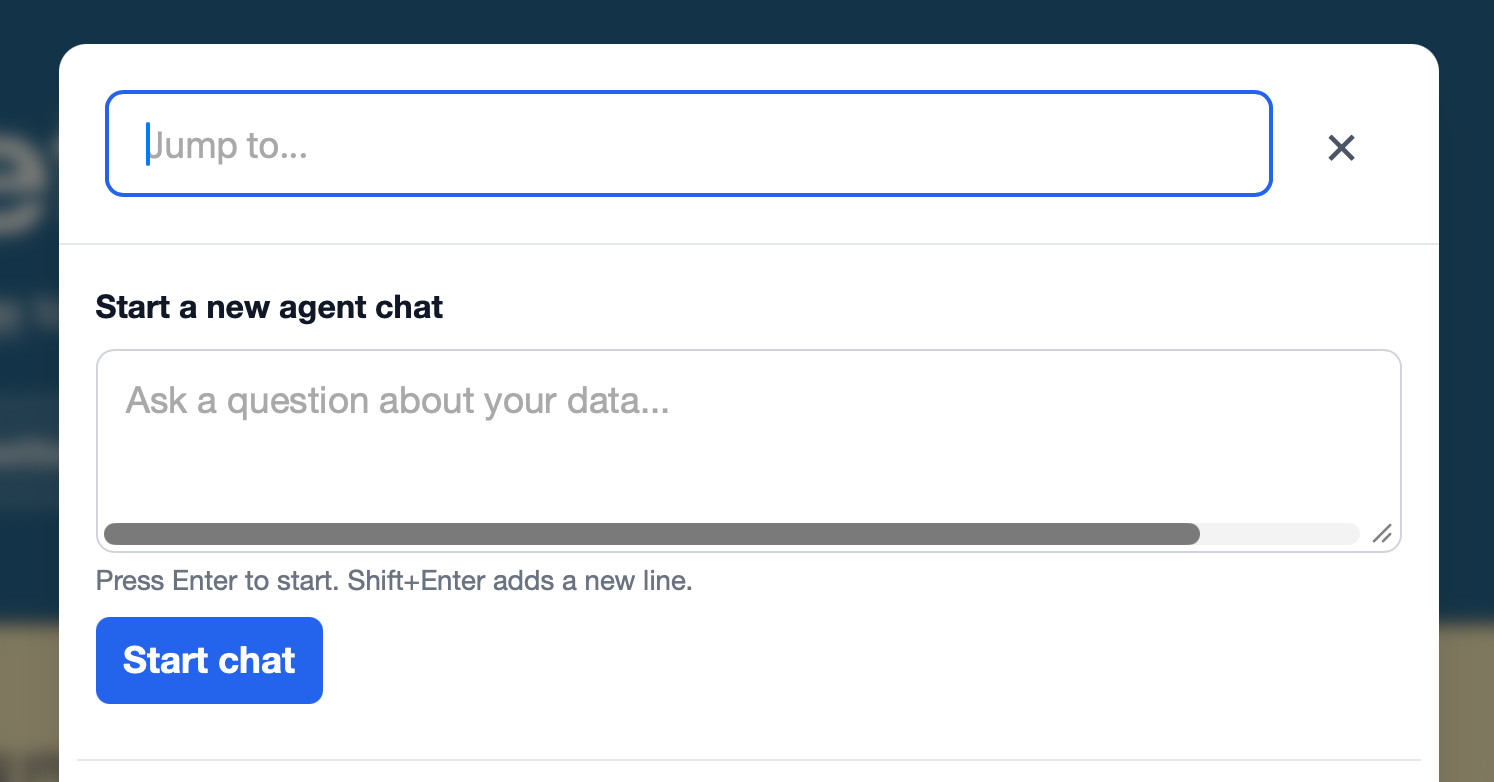
I initiated a new session with the model, providing the screenshot and a single instruction:
Look at dependencies to help figure out why there is a horizontal scrollbar here
I suspected the root cause lay within a dependency, likely Datasette itself. Knowing Fable’s capability to inspect installed files in its virtual environment or reference local codebases, I assumed it would start by examining those dependencies.
I stepped away to attend to a household task. Upon returning a few minutes later, I discovered my machine had opened a browser window in my standard Firefox installation and navigated directly to the problematic dialog. I had not authorised any browser automation, and it seemed impossible for the tool to trigger mouse movements or keyboard shortcuts within a window, so I questioned how it had achieved this.
I observed it continue its investigation, then noticed it had switched to opening a Safari window instead. I captured the following snapshot from the terminal:

What was it executing with uv run --with pyobjc-framework-Quartz?
It appears Fable had engineered its own method for capturing screenshots of browser windows. It utilised Python to iterate through every available window on the system, filtering specifically for Safari windows containing expected strings like "textarea" in the window title. It used this to identify the window number-an integer such as 153551-which it then passed to the screencapture command-line utility to retrieve a PNG image.
While that is a clever approach to screenshotting, what was it actually capturing?
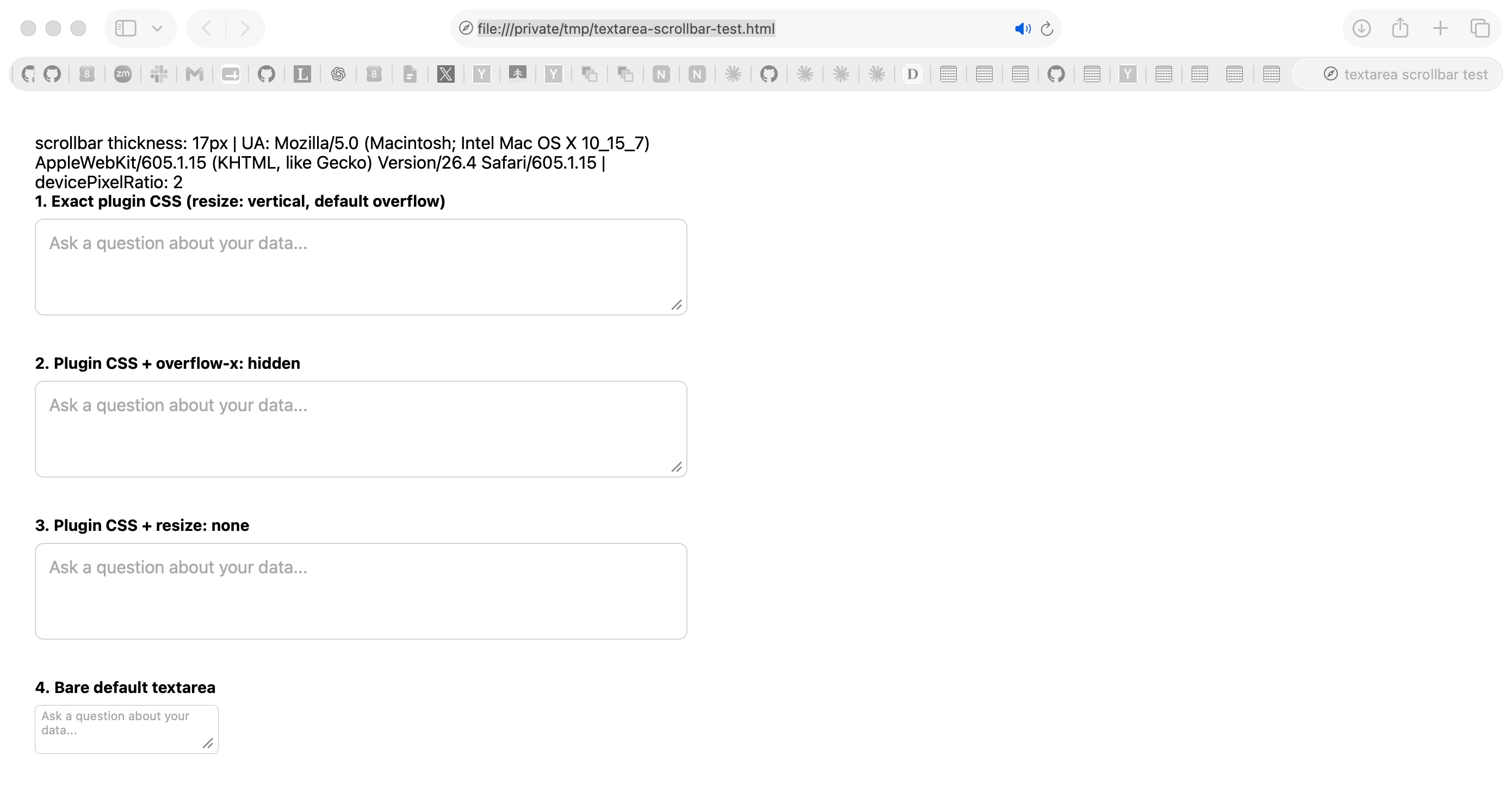
It had been generating its own scratch HTML pages to attempt to reproduce the bug, then opening Safari to capture images of those tests.
Here is the test page it constructed at /tmp/textarea-scrollbar-test.html, alongside the resulting screenshot:
(I currently have way too many open tabs!)
I can see how it opened test pages and took screenshots, but how did it trigger the modal dialog that was supposed to be tested? That interface is only accessible via a click or a keyboard shortcut, and I could not find a mechanism to execute those actions in Safari.
I eventually deduced what it had done.
Claude was operating within a directory containing the application source code. It understood enough about Datasette to launch a local development server. It turned out to be editing Datasette’s own templates to inject JavaScript that would trigger the correct keyboard shortcut immediately upon window load, inserting code similar to this:
<script>
window.addEventListener("load", function () {
  setTimeout(function () {
    document.dispatchEvent(new KeyboardEvent("keydown", {key: "/", bubbles: true}));
  }, 1200);
});
</script>
1.2 seconds after the window opens, this script triggers a simulated / key press, which is the shortcut for opening the modal dialog.
One challenge remained. To understand the situation, Claude needed to execute JavaScript on the page to take measurements.
It built its own custom web application to capture information via CORS, ran it as a local server, and opened a page with JavaScript that would POST data directly to it!
Here is the Python web app it wrote, utilising the standard library http.server package:
from http.server import HTTPServer, BaseHTTPRequestHandlerclass H(BaseHTTPRequestHandler):

def do_POST(self):

n = int(self.headers.get("Content-Length", 0))

open("/tmp/diag.json", "w").write(self.rfile.read(n).decode())

self.send_response(200)

self.send_header("Access-Control-Allow-Origin", "*")

Source Read original →