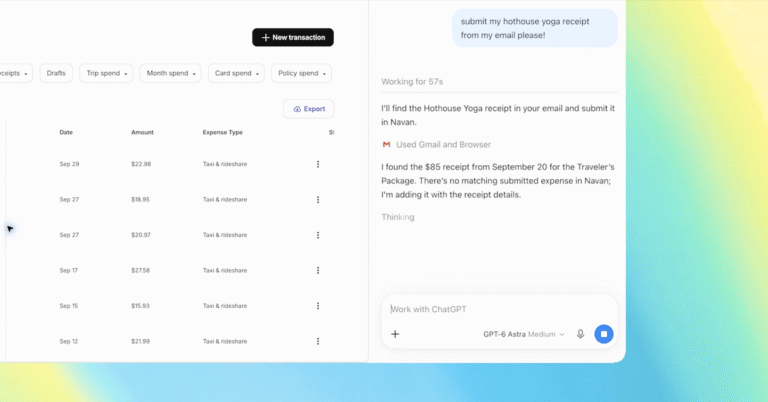
ChatGPT now functions as a full browser assistant within Chrome, allowing users to interact directly with their open tabs. The feature uses the @chrome command to target specific pages or pull data from multiple sources simultaneously. Work mode enables the tool to control tabs through Computer Use actions, such as sending messages, filling forms, or downloading files. GPT-6 Astra powers this functionality and claims to be the best model for complex workflows. The updated extension places full chat history in the sidebar next to the active web page. Examples show the system comparing product details like size and shipping time or summarising articles in plain language. It can also match price pages from different sellers to find better deals. This update works with all ChatGPT subscription plans.
The integration shifts the conversation from passive reading to active task completion inside the browser. Users no longer need to copy and paste text to get answers; the tool can verify facts against current web pages instantly. This reduces the friction of cross-referencing information during research or shopping. The ability to automate repetitive steps like form filling saves time on routine digital tasks.
* Works with all ChatGPT plans
* Uses GPT-6 Astra for control
* Accessible via the Chrome sidebar