Calendly is launching a new tool to record meetings, generate summaries, and draft follow-up emails for its users. The company, best known for scheduling software, is joining a crowded market of AI note-takers.
Features and functionality
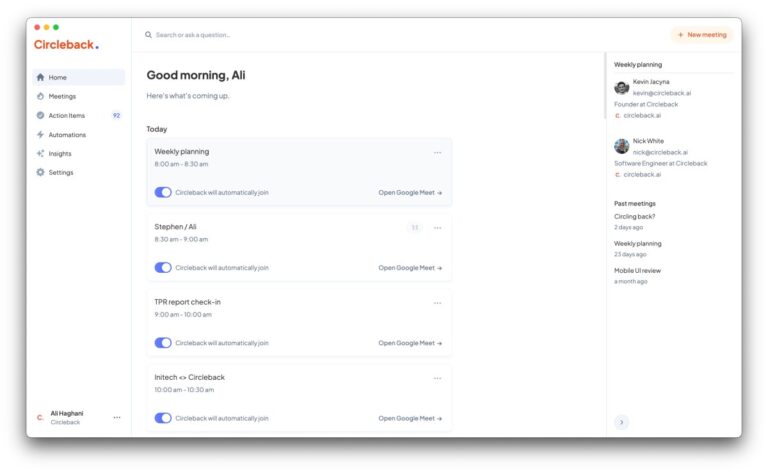
The new assistant joins calls, captures audio and video, and transcribes the conversation. It then produces a summary, lists action items, and writes draft replies. Calendly is also testing a feature similar to Granola that uses system audio to transcribe meetings.
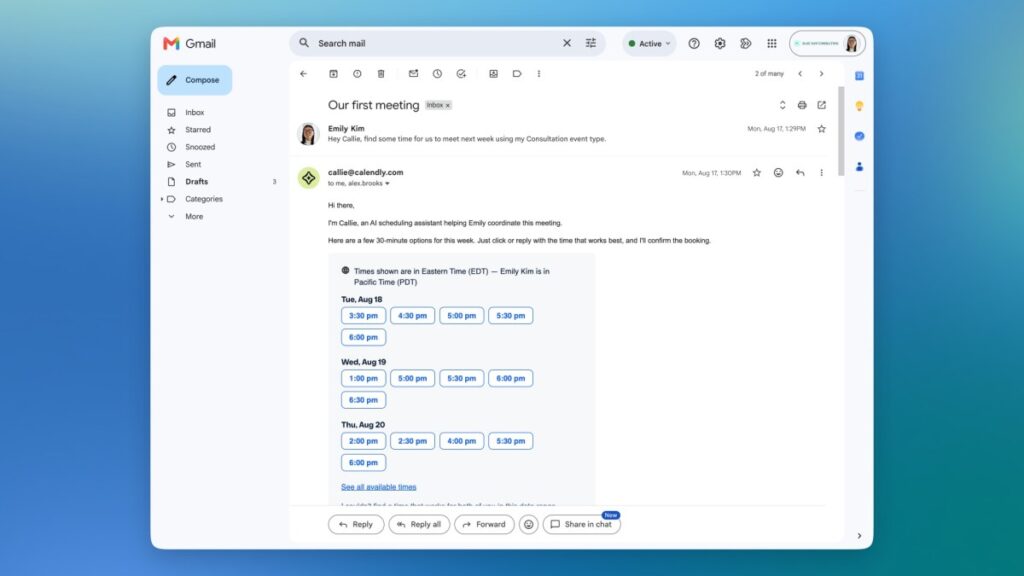
Plans include an AI assistant called Callie. This tool uses the existing scheduling stack to set up meetings, check availability, and pull context from previous discussions. Read AI released a similar email-based assistant earlier this year.
CEO Tope Awotona stated the goal is to automate workflows for people in outward-facing roles like sales and marketing. These workers often spend their days in back-to-back meetings.
A crowded field
Competition remains fierce. On one side are dedicated note-taking apps such as Granola, Fireflies, Read AI, Otter, and Fathom. On the other, productivity suites from Notion, ClickUp, and Wispr have added their own assistants and features.
Awotona argues there is significant opportunity in automating tasks that happen after the meeting ends. He noted that while many notetakers excel at recording and transcribing, most work occurs later.
“There’s a litany of notetakers, and all of them do a great job of recording and transcribing notes. But a lot of work happens after the meetings. And we think that really that’s where the opportunity for our note-takers to be efficient,” he said.
Privacy and transparency
Some competitors like Otter and Granola face allegations of privacy violations. To address this, Awotona confirmed Calendly’s tool will inform users that a meeting is being recorded. The assistant sends a message in the chat to announce its presence and activity. Any user can ask the app to leave the conversation.
The tool can also notify attendees before the call starts that the session will be recorded, thanks to its integration with the scheduling system.
What it means
Users in sales and marketing will have more time to focus on execution rather than administrative follow-up. The integration with existing calendars means the tool can act proactively without requiring separate setup steps.