For the independent maker and the creative professional, Apple’s WWDC 2026 announcements signal a shift from manual tweaking to conversational command. The latest suite of Apple Intelligence updates transforms the iPhone from a passive device into an active collaborator, handling the tedious mechanics of browsing, editing, and workflow automation so you can focus on creation.
The browser becomes a proactive assistant
Safari is receiving a significant overhaul in how it handles your digital workspace. The browser now groups open tabs automatically by topic, allowing it to surface related pages you might need without you searching for them. A new page monitor will alert you to changes on specific sites, proving useful for tracking fluctuating prices or breaking news. Perhaps most strikingly, users can now generate custom web extensions simply by typing a prompt, a capability previously reserved for software engineers.
Security workflows are also being streamlined. Compromised passwords can now be rotated with a single tap, with the system managing the entire login process automatically through Safari and Apple Intelligence.
Photos and creativity get a generative boost
The Photos app is moving beyond simple organisation into generative editing. The cleanup tool has been upgraded with superior infill and object removal, while a new expansion feature allows you to stretch the canvas of an image. Spatial Reframing lets you reposition subjects within a shot, using on-device spatial models to convincingly fill the new perspective. This works on older images too, turning your entire library into a source for retroactive editing.
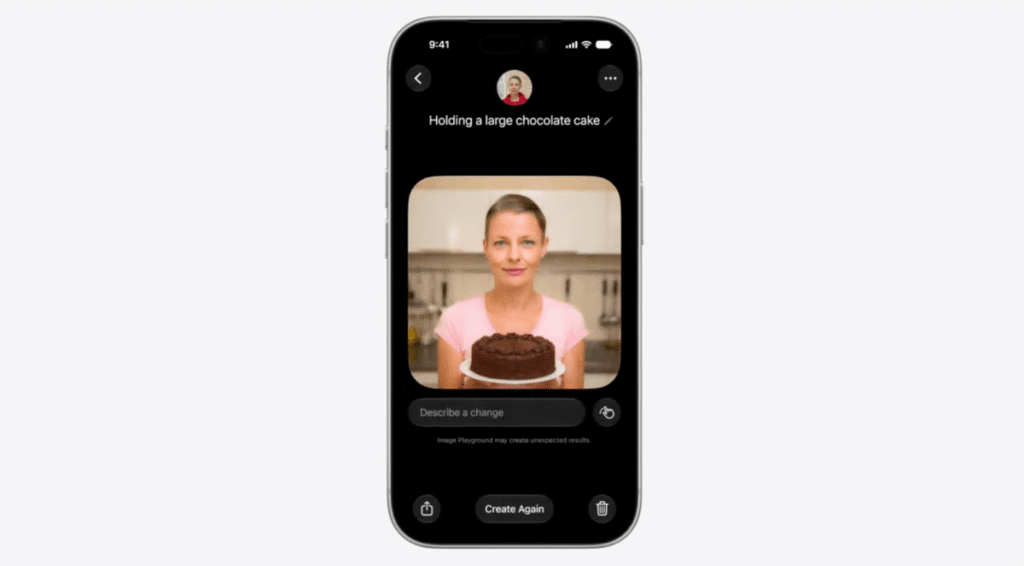
Image Playground is similarly evolving with a new model that produces more photorealistic results. Users can interact with objects by tapping, circling, or brushing, and can adjust output dimensions to fit specific formats. The app is also gaining the ability to create wallpapers and contact posters. This functionality is poised to become a staple for designers once Apple opens its image generation API to third-party developers.
Workflows and calls get context-aware
The Shortcuts app is being overhauled to bring “vibe-coding” to the average user. Instead of manually chaining together individual steps, you can describe a desired outcome in plain English, and the system will construct the workflow automatically.
Messages is adding AI-driven reply suggestions and a search function that surfaces photos based on text descriptions, eliminating the need to scroll through galleries.
In Calendar, natural language input now dictates event creation; mentioning participants and a time is sufficient for the system to handle the rest.
The phone call is getting smarter
The most consequential update for power users lies in the Phone app. It can now pull context from other applications, such as Mail and Messages, mid-call. If you are speaking to an airline representative, the system will surface your flight details from your email in real time. This mirrors Google’s “Magic Cue” feature but underscores a broader trend: the battle for AI dominance is increasingly being fought at the operating system level, where access to your personal data serves as the ultimate differentiator.
Key takeaways
- Apple Intelligence is shifting the iPhone from a reactive tool to a proactive assistant that anticipates user needs across browsing, photos, and communication.
- Generative capabilities are expanding beyond text to include image expansion, spatial reframing, and the automated creation of complex workflows via natural language.
- The integration of personal data from different apps during calls and browsing highlights a strategic move to leverage on-device context as a competitive advantage.