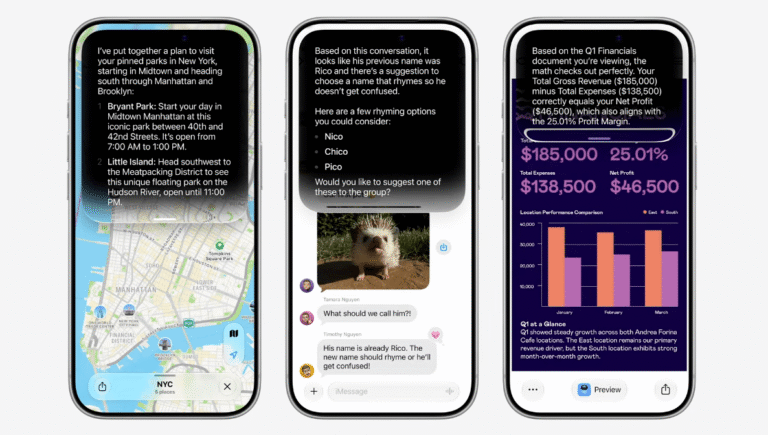
Apple’s latest public beta for iOS 27 introduces a new version of the smartphone assistant known as Siri AI. This release marks the first time the long-promised overhaul is available to the general public. The company showcased the update at its WWDC event in June, expanding the original voice controls with a chatbot-style app and deeper integration into the iPhone experience.
During initial testing of the developer beta, the assistant proved capable of finding old vacation photos, sending quick texts, and recommending local restaurants based on simple prompts. The interface feels more useful for navigating the phone beyond basic voice commands. It is not flawless, but the update offers something new for iPhone owners who have rarely used the previous version. Some users may discover features that become part of their daily routine.
Nabila Popal, a senior research director at International Data Corporation, notes that the integration across the ecosystem allows access regardless of the device location. “You can talk to it. You can also access it via an app. So, the accessibility of Siri AI and its integration across the operating system were really well done,” she says. Users can still disable the feature if they prefer, but the offering may encourage some to rethink how they interact with their iPhones.
New App
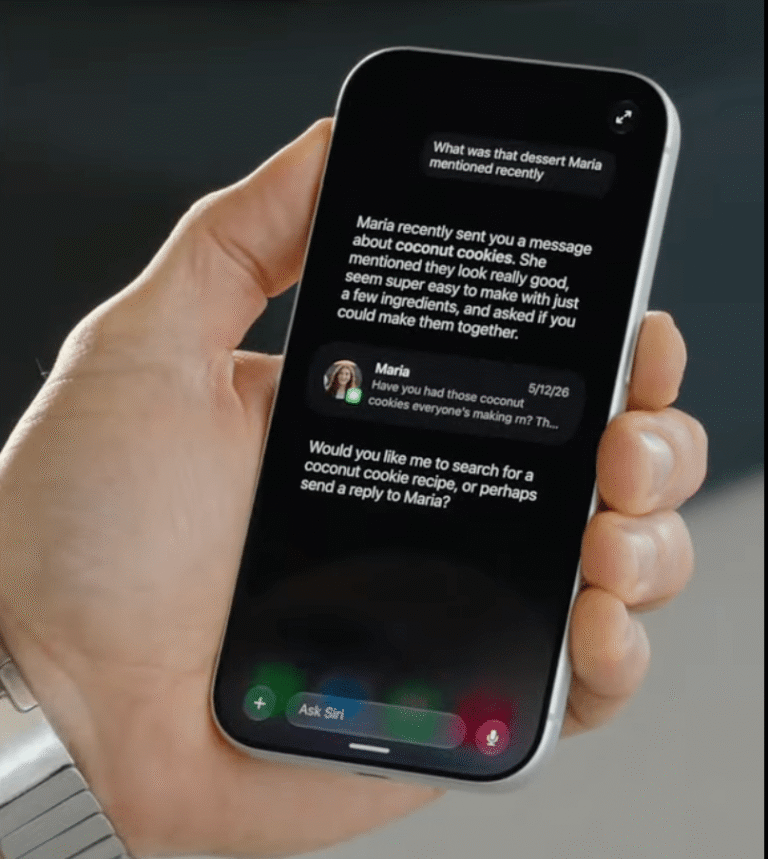
The most noticeable change is the new chatbot-style app. It functions primarily as an interaction log where users can track past chats or restart previous threads. While new conversations can start here, the assistant is now built into the iPhone search functionality, making this separate app less central for starting fresh queries.
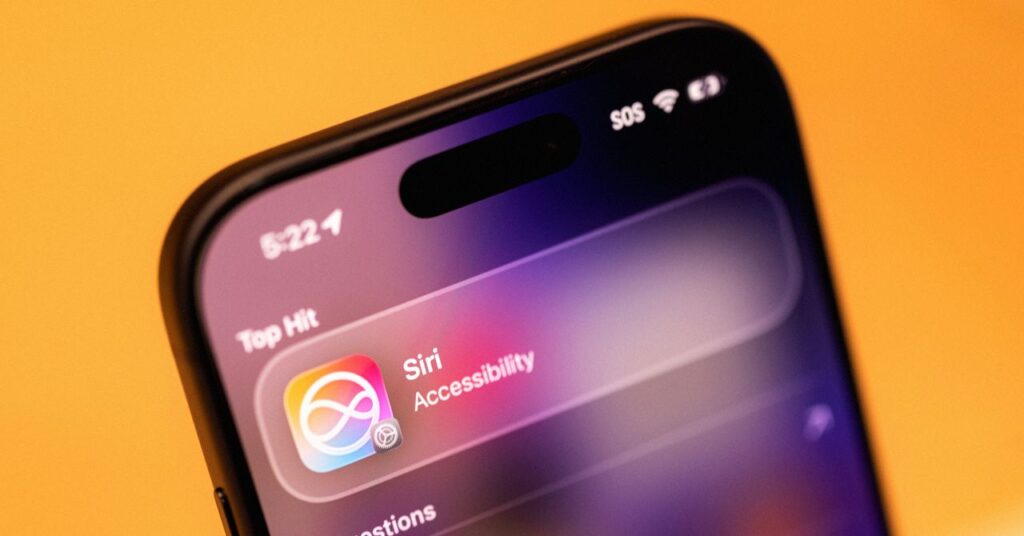
Users can manage how long conversations are stored. Go to Settings, find Siri AI, and open the Keep Conversations tab. Options include “forever,” one year, or 30 days. Changing the setting to a shorter timeframe wipes older chats from the app.
The app resembles interfaces like ChatGPT or Claude but lacks some standard features. It currently does not have a memory function to store user preferences. This means users must remind Siri AI of details, such as being vegan, when asking for recipes. Apple expects to iterate and add capabilities in future updates.
Personal Context
Even after downloading the iOS 27 beta, users may need to wait for an indexing process to complete. Josh Clark, principal at digital-design agency Big Medium, explains that Siri AI has access to context things like ChatGPT and Claude cannot easily have because it is cooked into the operating system.
The iPhone builds a searchable, on-device database during this phase. Recent developer betas label this “Optimizing Search and Siri” and include a progress bar. My device took a little over a week to fully index, though your experience may differ based on device, storage, and software version.
This allows Siri to pull data across the device to answer questions better. On a Monday morning, I asked Siri AI what I had on my plate for the week. It gathered details from recent text messages to highlight an upcoming order from TikTok Shop. It also prompted me to grab tickets to a movie at the Castro Theater that friends had discussed in a group chat. The assistant also checked the calendar for a birthday party and tickets to a live performance.
Users can control which apps Siri learns from. In Settings, go to the Siri AI section and scroll to App Access. Choose an app and toggle Learn from this App to the left to stop data sharing. The description in the beta reads, “Allow Siri to learn how you use this app to make suggestions across apps.” These options are enabled by default if Siri AI is turned on.
The revamped Siri is baked into the phone’s search function. Swiping down in the middle of the screen reveals a Search or Ask bar. Users can type or tap the microphone icon. Entering a query often sends it to Siri for answers. I typed “What’s a good route for driving to Sacramento?” and the Maps app appeared with a suggested path. Users can tap Show Results below the text bar for a traditional web search view.
On-Screen Awareness
Siri can pull details from what is currently visible on the screen. This on-screen awareness, previously known as “Visual Intelligence,” helps the assistant feel more helpful regardless of the user’s activity.
This feature makes it easy to verify information seen on social media. I was scrolling on Bluesky and saw posts about the singer Lorde criticizing Meta’s AI smartglasses without a source. When a post was visible, I asked Siri AI, “Where did she say this?” The assistant identified the singer and the comment from the screen. It confirmed the event happened at a festival in Madrid and provided links for more details.
Apple added a new Siri tab in the camera app alongside standard photo and video options. Tapping the circular button in the middle allows Siri to analyze images and provide a quick paragraph of context. Tapping the message icon on the left uploads an image to Siri with the option to add a prompt. Tapping the image search icon on the right browses the web for relevant links.
Everything, Everywhere
Siri AI extends beyond the iPhone to iPads and Macs. There are screenshot integrations on iPads and a dedicated shortcut on Macs. The Vision Pro hardware also runs this new version, though it is limited to a small number of owners. Hardware requirements apply; Siri AI is only available on the iPhone 15 Pro and newer devices, even if iOS 27 is downloaded.
On the iPhone, features are more widespread. “Write with Siri” helps when drafting notes or composing text messages. I used it to draft a message to my partner about organizing the apartment with more storage bins. The assistant generated a paragraph that sounded like my writing style and loaded it into the message box. This is an improvement over previous auto-suggestions.
While this level of assistance feels fresh to iPhone users, Android owners using Google’s Gemini may already be familiar with adept smartphone assistants. Nabila Popal notes that the average Apple user is still not aware of what AI features are available on Android devices. Snarky Android owners may highlight that a Pixel or Samsung phone could already complete similar tasks, but Siri AI remains a step-change moment for how millions of iPhone users in the US interact with their devices.
Smartphones act as a repository for highly personal context, mixing thousands of photos, texts, emails, and calendar appointments. Previously, finding an old text or photo felt like trudging through a hazy bog of chats and screenshots. By building Siri into the iPhone’s backbone and indexing the device, Apple has created an assistant that feels attuned to specific needs and interactions.
What it means
The shift moves the assistant from a reactive voice tool to a proactive search engine. Indexing the device takes time but allows for much deeper answers. Users gain the ability to ask complex questions about their digital life without needing to remember exactly where the information is stored.