Gemini is now free for users in the US, Japan, Korea, Canada, Australia, and India
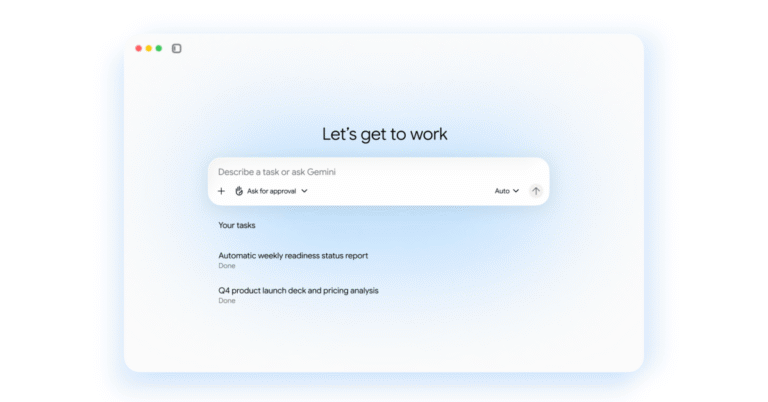
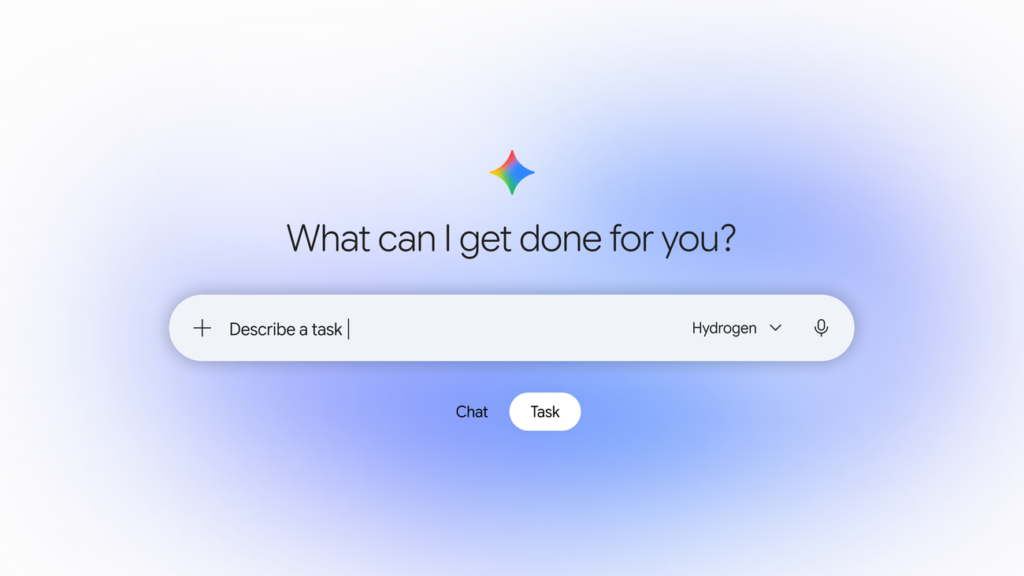
Google has released an update to its Gemini app that allows the assistant to execute specific tasks without direct supervision. This change is available to hundreds of millions of users across those regions using the Gemini 4 Hydrogen model.
The company states the update aims to reduce the time and cost associated with daily administrative work.
Using personal data for task execution
The update relies on data stored within the Google ecosystem, including emails, calendars, passwords, photos, files, and payment information. Google states this data remains secure within their infrastructure, removing the need to transmit sensitive details to external services.
One example involves a service appointment. A user prompted Gemini to contact the two nearest dealerships for a 2019 Honda Odyssey to schedule a repair for Friday morning. The assistant accessed the vehicle details and location via Personal Intelligence, identified shops on Google Maps, and placed calls simultaneously. It booked a slot at a dealership accepting appointments rather than walk-ins and added the event to the user’s Google Calendar in under five minutes.
During the calls, Gemini disclosed its identity as an AI. The system does not share payment or private account information unless the user explicitly approves it. Businesses can also choose to opt out of such interactions.
Another instance involved a utility bill. After receiving a surprise charge of $389, a user granted Gemini permission to access their utility portal through the Google Password Manager and requested an analysis of past billing statements. The assistant identified that a heat pump was operating at 4 p.m., coinciding with peak pricing times. This detail was missed during a manual review of PDFs and emails.
Purchases are made using the Agent Payments Protocol (AP2). Google is collaborating with American Express, Mastercard, and Visa to secure transactions via digital tokens on supported cards. Users retain access to card points, cashback, and purchase protections. A hard spending cap can be set, and the assistant is designed to remain within that budget. Receipts and tracking data are stored in Google Wallet, which is expanding to iOS devices today. The Universal Commerce Protocol (UCP) is scheduled for future integration to improve the shopping experience.
The system allows users to set spending limits while earning airline miles and cashback on eligible cards.
Managing medical bills and family schedules
The assistant is also used to sort medical bills, track insurance renewals, and manage children’s schedules. A user forwarded a batch of school emails from Gmail to ge****@****le.com. The system processed the messages and added every date to the calendar with the user’s spouse included as an invitee.
The assistant also detected a conflict with a basketball practice session and suggested sending a text to another parent to arrange a carpool swap.
Data protection and security measures
Tasks are processed using Google Cloud’s Agent Compute Engine. This runs on a hardware-isolated virtual machine dedicated to the user’s account, which is never shared with other people. Each virtual machine is sandboxed to create a separate, isolated environment.
Security red teams regularly test these environments. Additional layers of defense include prompt-injection filters that scan search results and webpages alongside Google Safe Browsing to restrict which links the assistant can open.
Users can intervene at any point to provide further instructions. The system is designed to pause and seek confirmation before critical steps, such as clicking “Buy”. It will ask clarifying questions if instructions are unclear. Routine actions, like adding items to a grocery cart, can be set to “Always allow” to prevent repeated prompts.
Settings allow users to adjust task parameters, disconnect Google and third-party apps, or delete chat history. Technical details regarding the multi-layer defense-in-depth strategy are available in a separate paper.
Google also invites users to participate in the AI Vulnerability Reward Program (AI VRP) to help improve the security of agentic systems.
Feedback and web navigation
While tasks are tested extensively, errors can still occur. Users are asked to provide feedback by selecting the “thumbs down” option when a task fails or misses the target.
Navigating websites remains a developing area. On some sites, Gemini may complete most of a process before handing control back to the user to click a final button. Google is partnering with major websites and security providers to help adapt the web for these use cases. Historically, bots were blocked by default due to malicious activity. Google argues that personal assistants require a more nuanced approach and that open, verifiable standards will benefit everyone.
How to enable the features
To use the task features, open the Gemini app and switch the home-screen toggle from Chat to Task. In the US, users can also forward emails to ge****@****le.com or text the assistant.
To set up text messaging:
- Open Gemini on Android or iOS and tap Settings
- Tap Channels
- Tap Set up under Text with Gemini
- Verify your phone number