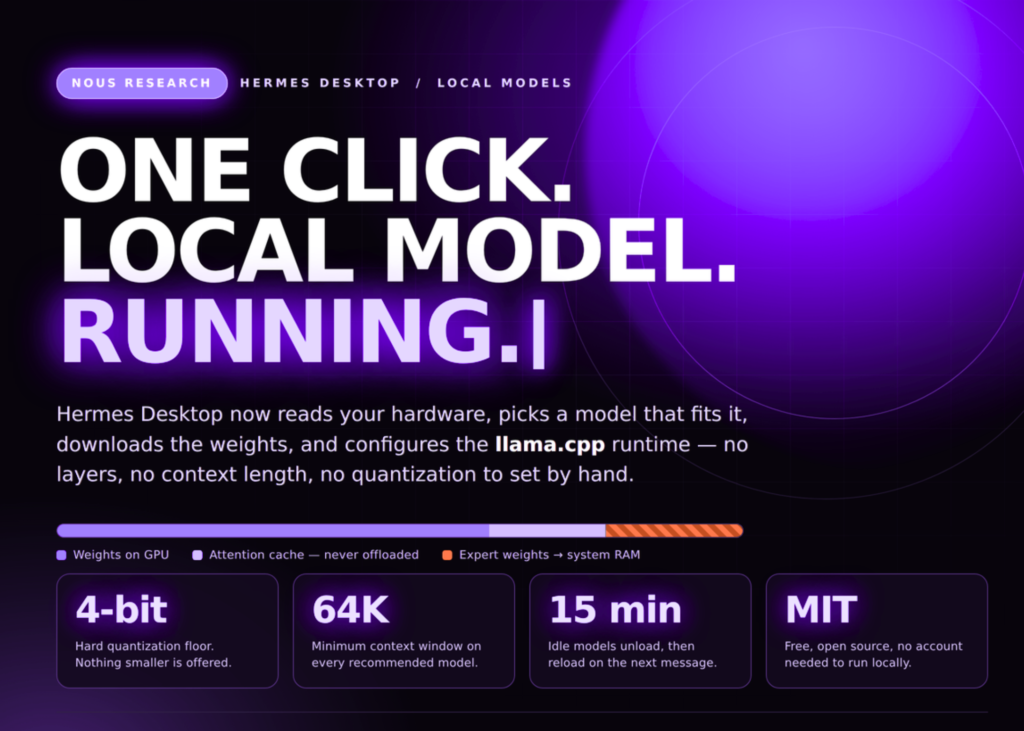
Nous Research has updated Hermes Desktop to install local AI models with a single click. The tool scans your computer, selects a compatible version, downloads the weights, and configures the runtime automatically. This replaces the manual process of checking VRAM limits, guessing quantization formats, and adjusting context lengths.
Hermes Desktop is free software under an MIT license. It works on macOS 12 and later, Windows 10 and 11, and any Linux distribution. No account is required to run local models.
What actually shipped
The update focuses on automating the setup flow. Upon first launch, the interface detects your hardware and displays available options. Users can access this feature later via the Settings → Providers → Local Models menu.
Behind the scenes, the application manages the inference engine. It fetches a specific build of llama.cpp suited to your processor, verifies the file, and updates it as needed. Supported backends include CUDA, Metal, Vulkan, HIP, and CPU. The desktop app writes the necessary settings to the local_runtime block within the config.yaml file. Users running the application without a graphical interface can edit this file manually.
How Hermes prices models against your machine
The system evaluates every model in its catalog before allowing a download. Each entry displays a status indicator based on memory availability. Green indicates the model fits entirely in GPU memory. Amber shows the model will spill into system RAM, reducing speed. Red marks models that are too large for the current hardware.
Rows also list the starting and maximum context windows, alongside the download size for the selected build. Quantization follows a strict rule: the tool chooses the highest quality version that runs fully on the GPU. Machines with limited memory receive a more compact build of the same model. There is a hard floor at 4-bit quantization. Nous Research considers lower bit depths to degrade quality too much. If a machine cannot run the 4-bit version without spilling to RAM, the model is considered incompatible.
Incompatible models remain visible in the list with an explanation of the requirements. This tells the user exactly how much more video memory they would need to run a specific model.
The memory rules that make it hold together
Local inference depends entirely on where data lives in memory. Hermes hides all the technical knobs for this process. Models start with a context window that fits within your GPU memory. As a conversation grows, the window expands toward the model’s native maximum.
When a model exceeds GPU capacity, the application moves the overflow to system RAM. It prioritises loading expert weights first and never displaces the attention cache. This strategy sacrifices some throughput to guarantee that the conversation history remains intact. Compression only activates once the model hits its maximum window size, meaning growth happens before summarisation. Idle models unload after 15 minutes and reload immediately upon the next message.
What it means
The update removes the barrier of technical configuration. Users no longer need to calculate VRAM requirements or manage quantization settings. The tool handles hardware compatibility and memory management automatically, ensuring models run efficiently without manual intervention.