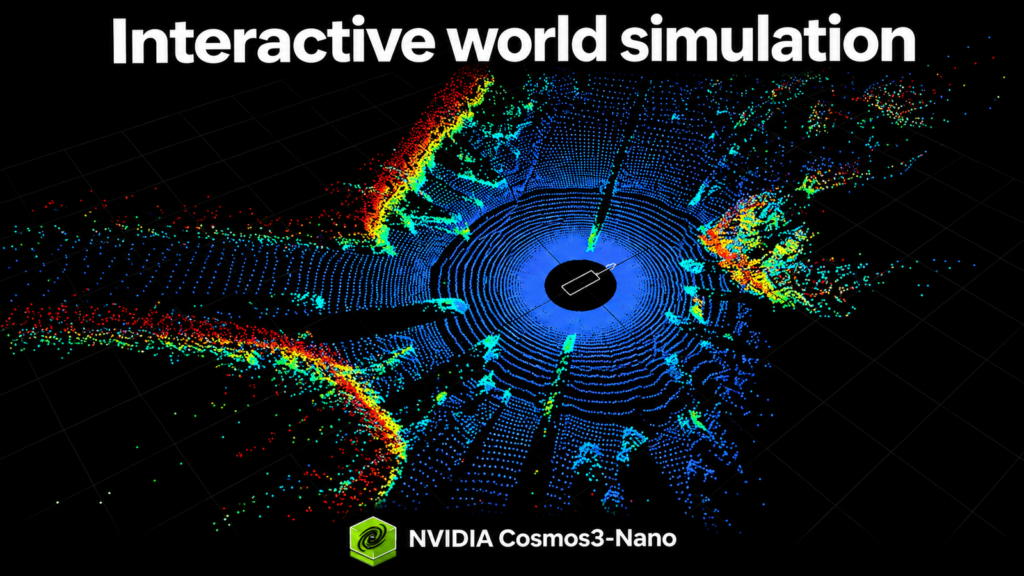
NVIDIA Cosmos 3 adds four new open-weight checkpoints for interactive world simulation and multi-sensor driving scenes
NVIDIA Cosmos 3 now includes four new checkpoints: Cosmos3-Nano-Transfer-Auto, Cosmos3-Nano-Sim-Auto, Cosmos3-Nano-Sim-Transfer, and Cosmos3-Nano-Sim-Bimanual. All models contain 16 billion trainable parameters and are released under the OpenMDW1.1 licence, allowing commercial and non-commercial use. The technical report and demos are available for download.
Why these checkpoints matter
Robotics requires environments that react to changing scenes and viewpoints. Sim-Bimanual predicts visual outcomes from actions, while Sim-Transfer converts physics simulator controls into generated observations. Autonomous driving demands that appearance and geometry align. Synchronized camera and LiDAR generation links visual data with 3D sensing. Researchers can vary road layouts and signal states to test how driving policies respond. Streaming generation connects video prediction to ongoing interaction, allowing world-model researchers to explore how actions and observations unfold together. Open weights and post-training recipes provide a shared starting point for adapting models and comparing methods. The remaining challenge is to measure where models faithfully support policy learning and evaluation, understand their limits, and improve where they fall short.
Build Autonomous Vehicle Worlds with Cosmos3-Nano
🌦️ Transfer-Auto: driving scenarios to multi-sensor data
Cosmos3-Nano-Transfer-Auto generates offline synthetic driving data. It produces synchronized video across up to 11 camera views, including fisheyes, and supports joint RGB–LiDAR generation. Per-camera World Scenario Map controls specify scene structure and traffic motion, while text prompts guide appearance. Developers can vary environmental conditions to expand training and evaluation coverage, with optional initial RGB images to anchor scene appearance. Joint LiDAR generation uses aligned HD-map range-map controls. The model serves as a foundation for adapting Cosmos to specific sensor rigs and driving domains. Start by post-training it on your data to accommodate your camera layout, LiDAR configuration, and target environment. The adapted model can generate offline data directly or undergo causal training and few-step distillation for fast streaming simulation, the path used to create Cosmos3-Nano-Sim-Auto.
Run inference with Cosmos3-Nano-Transfer-Auto
Prefer a notebook? Open Transfer-Auto.
🚗 Sim-Auto: driving controls to streaming observations
Cosmos3-Nano-Sim-Auto is the causally distilled streaming variant of Transfer-Auto. It generates successive small chunks of synchronized camera video and LiDAR in just a few denoising steps, using generated history and updated driving controls to support fast streaming and long, interactive rollouts. Provide per-camera captions and synchronized WSM controls, optionally adding initial RGB images. For LiDAR generation, include HD-Map range controls aligned with the camera controls. The distilled model generates successive chunks using its rolling history. Closed-loop interaction requires a simulation runtime and WSM renderer to update those controls from driving inputs. For a new sensor rig or domain, adapt Transfer-Auto first, then distill it into Sim-Auto.
Run inference with Cosmos3-Nano-Sim-Auto
Prefer a notebook? Open Sim-Auto.
🎨 Sim-Transfer: simulator controls to RGB
Your simulator computes motion, contacts, and physical state. Sim-Transfer uses its spatial controls and a text prompt to render color observations that a policy can consume. The pipeline moves from action to simulator update, then to spatial controls, generated RGB, and finally the next policy action. Text guides appearance; physics and ground-truth state remain with the simulator. Depth control maps to video. Segmentation control maps to video. Run inference with Cosmos3-Nano-Sim-Transfer. Prefer a notebook? Use Transfer.
🤖 Sim-Bimanual: actions to video
Cosmos3-Nano-Sim-Bimanual simulates how an environment evolves in response to a bimanual robot’s actions. It supports interactive two-arm simulation for YAM and AgiBot embodiments, controlled by a policy or human-operated joysticks. Start with an image, move the robot or camera, and generate the next observations. One control sequence can switch between viewpoint changes and manipulation. The mixed-action example uses 59 control values, padded to 64 during training. Its schema defines coordinate frames, rotations, gripper calibration, validity masks, and control domains. Follow those conventions so each value describes the intended motion. Keep timing aligned: T transitions need T+1 observations. Training transforms raw captures into the model’s action representation; released inference actions are already normalized. Here, Sim-Transfer generates visuals from a physics simulator’s updated state; Sim-Bimanual generates the next observation directly from the scene and robot actions. See the data contract and action schema.
Requirements include Linux, an NVIDIA GPU, Docker, and the NVIDIA Container Toolkit. The published vLLM-Omni setup was tested on one GB200; this is not a minimum-memory specification. The server downloads weights; the clients fetch sample inputs.
Run inference with Cosmos3-Nano-Sim-Bimanual
Prefer a notebook? Open Bimanual
How streaming generation works
Cosmos 3’s Mixture-of-Transformers backbone connects separate text-processing and visual-generation networks through attention. The generator predicts each short segment from the prompt, available controls, and generated history. Controls and history generate a chunk, decode images, and update history. Denoising refines noisy, compressed video representations into a segment. Temporal-causal attention lets the model read available history and controls while blocking future target observations. A key/value cache retains attention information for the next prediction. The model operates on compressed video representations called latents. After the initial image, each latent time step represents four RGB frames. Transfer predicts one step per chunk; the optimized Bimanual setup in the report predicts two. Smaller chunks let new controls affect generation more often.
The four-stage training recipe
- Stage 0 — Bidirectional adaptation: learn the domain and its control-to-video relationships from complete recorded clips.
- Stage 1 — Teacher forcing: predict each chunk from earlier recorded observations and available controls, with the clean answer and future targets masked out.
- Stage 2 — Consistency distillation: use a frozen teacher to train a student that generates each chunk in four denoising steps.
- Stage 3 — Self-forcing: train on the student’s generated history. A frozen teacher and an auxiliary score model supply the distribution-matching signal.
Why the final stage matters: a slightly mispredicted object becomes context for later frames, so errors can compound. Self-forcing exposes training to that generated history. Distillation and caching reduce the cost of producing each observation.
Adapt with your data
The post-training recipes start from Cosmos3-Nano or compatible base weights and cover all four stages. Keep full training checkpoints to resume; exported inference weights omit optimizer and other training state.
- Transfer-auto: Post-train on your driving data to adapt to your sensor rig and domain, and generate offline synthetic data.
- Sim-auto: Apply causal training and distillation to an adapted Transfer-Auto model for fast streaming simulation.
- Sim-Transfer : Post-train the checkpoint for your environment with local data preparation, stage configurations, and resume.
- Sim-Bimanual: Post-train for your embodiment with data validation, stage configurations, checkpoint handoffs, and export.
Give your coding agent the skill and dataset location. Follow the environment checks, validate a sample, and test training and restart before a longer run. Evaluate quality on held-out episodes: a successful short run verifies execution, not convergence.