Most web agents today drive a browser one action at a time. The model receives the current page state, as a screenshot or DOM text, and predicts the next click, keypress, or scroll. This action-at-a-time design made sense when language models had limited reasoning ability. As models have become more capable at writing and debugging code, that rigid loop has become a constraint rather than a structure that helps.
Microsoft Research’s AI Frontiers lab built a different approach. Their new open-source framework, Webwright, gives the agent a terminal instead of a stateful browser session. The agent writes Playwright code to control browsers, runs bash commands, inspects logs, and iteratively refines scripts. Playwright is an open-source browser automation library, also from Microsoft, that supports programmatic control of Chromium, Firefox, and WebKit browsers.
What Webwright Does Differently
Webwright separates the agent from the browser and treats the browser as something the agent can launch, inspect, and discard while developing a program. The persistent artifact is not the browser session but the code and logs in the local workspace.
This is the same model a developer uses when writing an RPA (Robotic Process Automation) script. Instead of manually clicking through a site each time, they write a script once. That script can be rerun, adapted, and shared. Webwright applies this to LLM-powered agents.
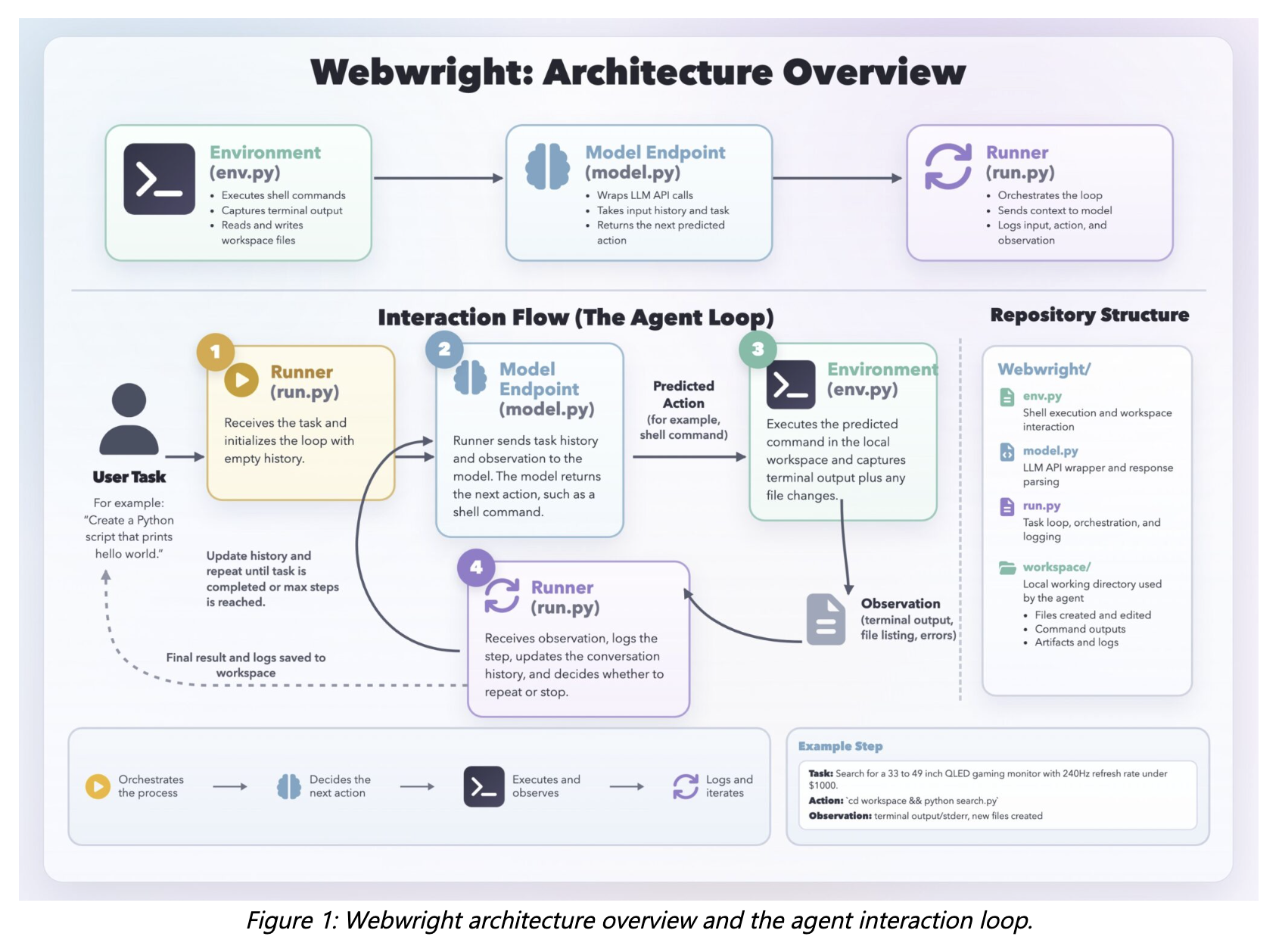
The system has three core components: a Runner, a Model Endpoint, and a terminal Environment. The runner is about 150 lines of code, the model interface about 550 lines, and the environment about 300 lines. There is no multi-agent orchestration or complex planning hierarchy, just a single agent loop.
All intermediate code, logs, screenshots, and results are stored in the workspace, making each run easy to inspect.
The Agent Loop
The Runner sends the current context to the model. The model returns a thinking block and a shell command. That command runs in the Environment, which returns terminal output, logs, screenshots, or error tracebacks. These observations go back into context, and the loop continues.
Rather than issuing one primitive action at a time, a coding agent can naturally express multi-step interactions, such as selecting a date or filling out an entire form, as a compact program. Loops, functions, and abstractions allow the agent to generalize across similar tasks without repeatedly predicting similar sequences of low-level steps.
Two Engineering Challenges
Premature ‘done’ and context explosion are the two core issues. With open-ended bash actions, the model must self-report completion and often claims success without actually finishing. They added a gate: the agent must generate a self-reflection config, run a final script in a fresh folder with logs and screenshots, and pass its own self-reflection judgement that outputs success or failure before emitting done: true. Otherwise, the flag is dropped and it retries.
For context length, long coding trajectories quickly exceed context limits, so they compact history every 20 steps into a single summary.
Benchmark Results
Webwright was evaluated on two benchmarks: Online-Mind2Web and Odysseys.
Online-Mind2Web contains 300 tasks across 136 widely used sites and uses an automated LLM-as-a-Judge evaluation framework. GPT-5.4 achieves 86.67% overall accuracy, representing the highest among all open-sourced harness recipes in the AutoEval category of the Online-Mind2Web benchmark, with a 100-step budget. Claude Opus 4.7 reached 84.7% overall but performed better on hard tasks at N=100 steps, 80.5% versus 76.6% for GPT-5.4.
They also reproduced a GPT-5.4 baseline in a conventional screenshot-based agent setting, where the model predicts x,y coordinates for clicks and typing actions. Using the same underlying model, Webwright achieves substantial gains across all three difficulty categories, highlighting the benefit of the code-driven terminal-based approach over step-by-step coordinate prediction.
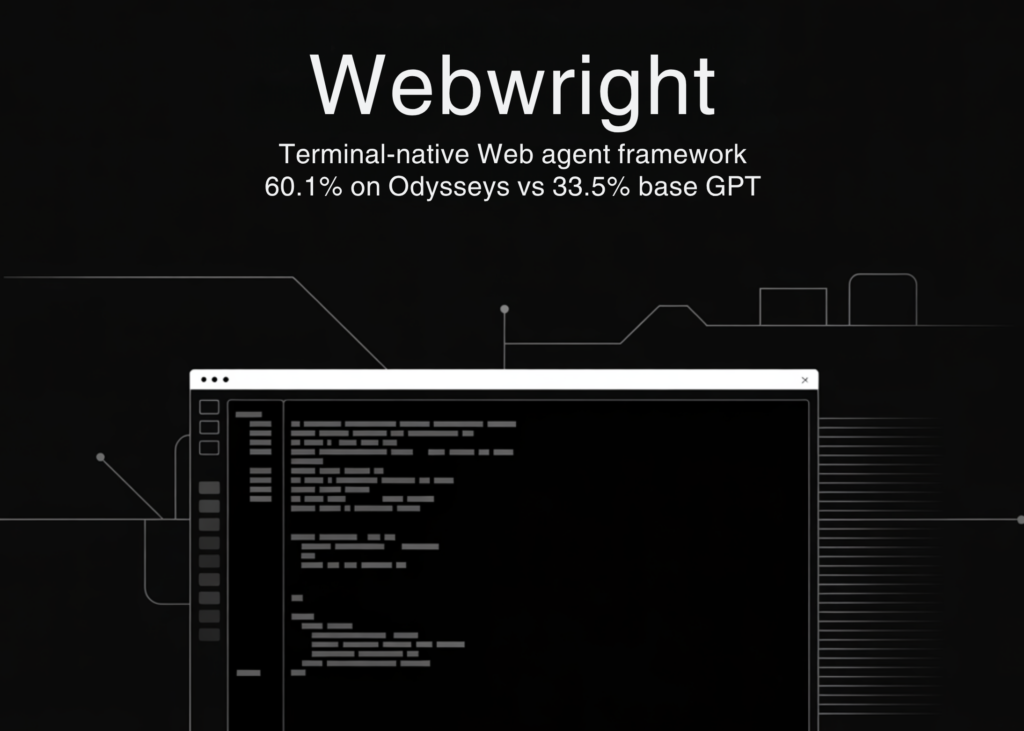
Odysseys evaluates long-horizon browsing tasks spanning multiple websites. Tasks average 272.3 words of instructions. In the April 2026 leaderboard, the best-performing model was Opus 4.6, with a top score of 44.5. Webwright powered by GPT-5.4 reaches 60.1%, a 35.1% relative improvement over the previous state of the art. Compared to the base GPT-5.4 performance of 33.5%, this corresponds to a 79.4% relative improvement, or 26.6 absolute points.
Cost Analysis
Claude Opus 4.7 is more efficient in the number of steps to solve each task (mean 21.9 steps) compared to GPT-5.4 (mean 26.3 steps). However, Claude Opus 4.7 is priced significantly higher compared to GPT-5.4 ($5 vs. $2.50 per 1M input tokens, and $25 vs. $15.00 per 1M output tokens, April 2026), which makes the average per-task cost higher compared to GPT-5.4 ($2.37 vs. $6.09). The first 50 steps deliver 82% accuracy, and the next 50 steps deliver 3–4 additional points.
Small Model Performance
The research team also tested Qwen3.5-9B on the hard split of Online-Mind2Web. When tasks are augmented with pre-built reusable tool scripts, Qwen3.5-9B achieves 66.2% on Online-Mind2Web websites with more than five tools. This shows that smaller, lower-cost models can handle complex web tasks when paired with a pre-built tool library.
Marktechpost’s Visual Explainer
Quick Start Guide
What Is Webwright?
Webwright is an open-source, terminal-native web agent framework from Microsoft Research. Instead of predicting one browser click at a time, the agent writes Playwright code, runs bash commands, and stores reusable scripts in a local workspace.
- ~1,000 lines of harness code across 3 modules , no hidden orchestration
- Single agent loop: Runner, Model Endpoint, and terminal Environment
- 86.7% on Online-Mind2Web | 60.1% on Odysseys with GPT-5.4
- Backends: OpenAI, Anthropic, OpenRouter
- Scripts reusable in Claude Code, Codex, OpenClaw
# GitHub repository
github.com/microsoft/WebwrightWhat You Need Before Installing
Confirm the following are ready before running any install commands.
- Python 3.10+ , required minimum runtime
- Chromium , installed via Playwright in the next step
- API key , OpenAI, Anthropic, or OpenRouter
- Git , to clone the repository
# Check your Python version
python --version
# Must return Python 3.10 or higher
Clone and Install Webwright
Clone the repo, install in editable mode, then install Chromium for Playwright browser control.
# 1. Clone the repository
git clone https://github.com/microsoft/Webwright
cd Webwright

# 2. Install the package in editable mode
pip install -e .

# 3. Install Chromium for Playwright
playwright install chromium
The -e flag means local source edits apply immediately without reinstalling.
Run Your First Web Task
Export your API key, then pass a task instruction and start URL to the CLI.
# Export your key
export OPENAI_API_KEY="sk-..."
export ANTHROPIC_API_KEY="sk-ant-..."

# Run a task
python -m webwright.run.cli \
  -c base.yaml -c model_openai.yaml \
  -t "Find cheapest economy flight SEA to JFK on 2026-05-15" \
  --start-url https://www.google.com/flights \
  --task-id demo_openai \
  -o outputs/default
| Flag | Description |
|---|---|
| -c | Config file from src/webwright/config/ , stackable |
| -t | Task instruction in plain English |
| –start-url | Initial URL for the browser session |
| –task-id | Output subfolder name |
| -o | Root output directory for logs and scripts |
Use Webwright as a Claude Code Skill
Webwright ships a built-in Claude Code skill. No separate LLM API key is needed beyond your Claude Code subscription. Claude Code reads PNG screenshots natively.
# Project-scoped (inside this repo only)
mkdir -p .claude/skills .claude/commands
ln -s "$PWD/skills/webwright" .claude/skills/webwright
ln -s "$PWD/skills/webwright/commands" .claude/commands/webwright

# User-scoped (all projects)
mkdir -p ~/.claude/skills ~/.claude/commands
ln -s "$PWD/skills/webwright" ~/.claude/skills/webwright
ln -s "$PWD/skills/webwright/commands" ~/.claude/commands/webwright
Restart Claude Code after installing, then use slash commands:
# One-shot task
/webwright:run search Google Flights SEA to JFK 2026-05-15

# Reusable parameterized CLI tool
/webwright:craft search a ticket from LAX to SFO depart June 7
Related articles