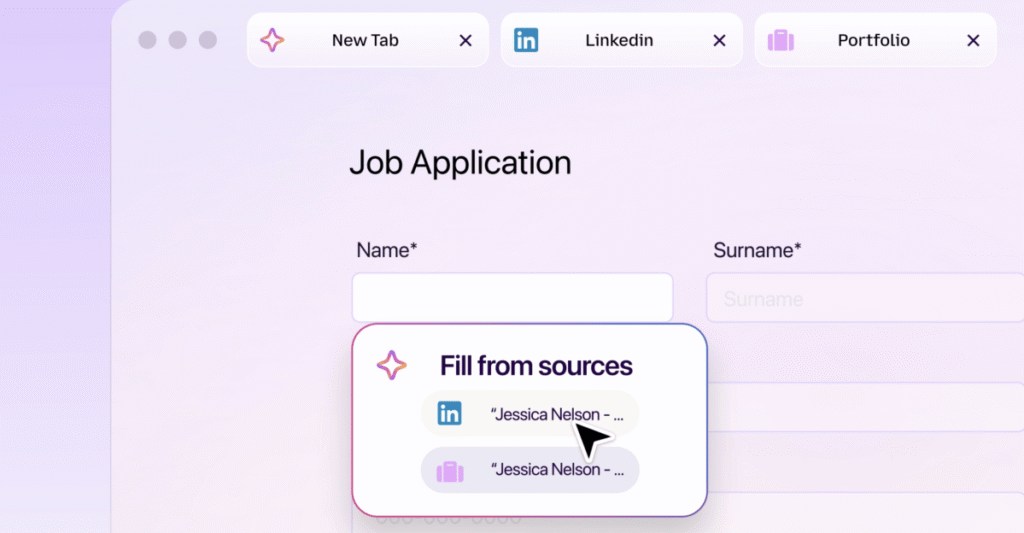
Mozilla has updated Firefox Smart Window to include an AI form filling tool that suggests data for online forms based on content in your open tabs. Users can activate this by clicking a “Fill from sources” button within a form containing at least four text fields. The browser then displays a list of tabs it has indexed, allowing you to select specific pages like a LinkedIn profile or portfolio to generate suggestions for fields such as work history. You may deselect individual tabs if you do not want the AI to pull information from them. The system constructs answers by synthesising text from the chosen sources rather than simply copying and pasting entire blocks. This feature operates entirely within the browser window without sending your data to external servers for processing. It is designed to reduce manual typing during repetitive tasks like job applications or account registrations.
The update matters because it integrates AI assistance directly into the browsing workflow without requiring users to switch between applications or manage separate credentials. By keeping data local and letting the user control which tabs inform the suggestions, Mozilla addresses common privacy concerns surrounding AI tools. The functionality remains confined to the current session and does not alter how customer accounts or API behaviours function outside this specific feature.
* Requires a form with at least four text fields to trigger the interface.
* Users manually select which open tabs contribute to the generated suggestions.
* All processing occurs locally within the Firefox browser window.