For makers and artists, the latest iteration of Claude Code represents a shift from a simple terminal assistant to a layered agentic system. It no longer merely executes commands; it manages memory, hooks, skills, subagents, plugins, and Model Context Protocol (MCP) servers as distinct architectural layers. Each layer dictates what the model perceives and what actions it can perform, fundamentally changing how creative workflows are automated and managed.
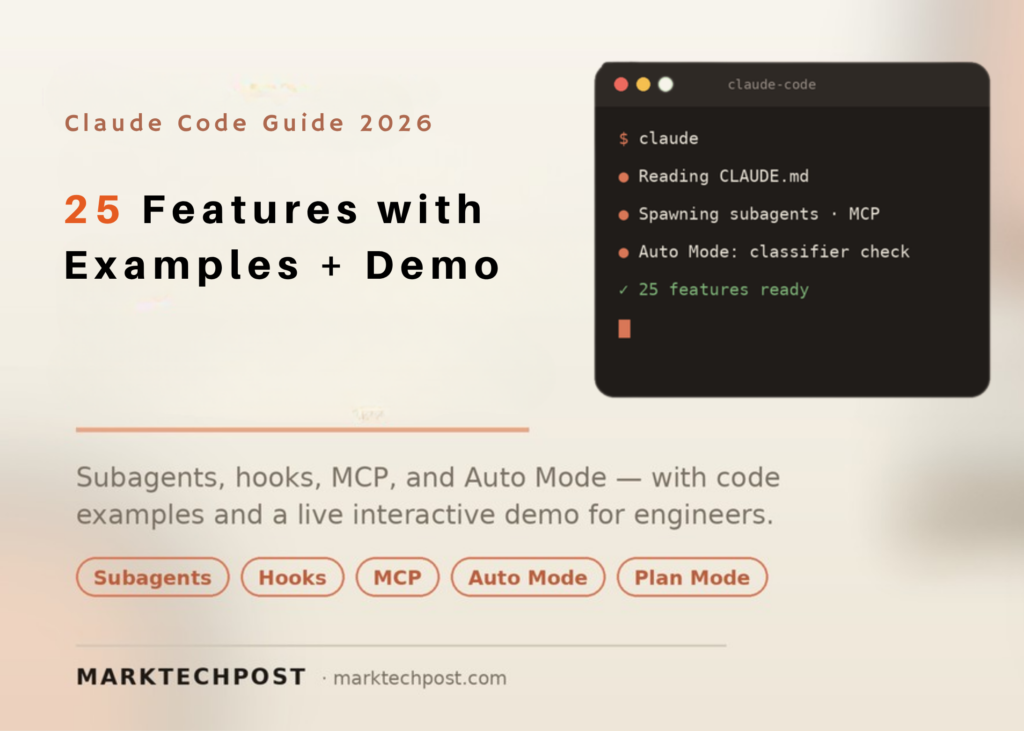
This guide outlines 25 features and strategies for scaling this environment, tailored for AI engineers, software developers, and data scientists. All code examples adhere to a documented format and are designed to run exactly as written. Every item is clearly labelled by status, distinguishing between official Anthropic releases, community-developed workflows, and third-party integrations.
What is Claude Code
Claude Code functions as Anthropic’s agentic coding utility, accessible via terminal, desktop application, or integrated development environment (IDE). It possesses the ability to read files, execute commands, modify source code, and invoke external tools. Internally, it operates on an agentic loop that selects tools, aggregates context, and manages extended sessions through compaction.
Safety is enforced through permission modes, checkpoints, sandboxing, and managed settings. This same loop is exposed programmatically via the Agent SDK, allowing developers to extend functionality using a small set of primitives: CLAUDE.md files, skills, subagents, slash commands, hooks, and MCP servers. Plugins bundle these primitives into single, installable units.
The 25 Features and Strategies
Each feature or strategy below is categorised. ‘Official’ denotes documented Anthropic functionality. ‘Community technique’ refers to workflow patterns not yet shipped as native features. ‘Third-party tool’ indicates software developed outside the Anthropic ecosystem.
- CLAUDE.md memory file (Official). This file serves as the agent’s constitution for your repository. Claude reads it at the start of every session to anchor conventions and commands.
- Skills (Official). A skill is a
SKILL.mdfile containing frontmatter located under.claude/skills/<name>/. It supports invocation via/nameand autonomous execution by the model. - Subagents (Official). These are specialised instances with their own context windows. Verbose work remains isolated, ensuring your primary conversation stays focused.
- Slash commands (Official). These are typed shortcuts beginning with
/. Built-in options include/init,/compact,/context,/review, and/security-review. - Hooks (Official). Hooks are deterministic scripts that trigger at specific lifecycle points.
PreToolUseacts as the primary security checkpoint before any tool executes. - MCP servers (Official). The Model Context Protocol connects Claude Code to GitHub, databases, and browsers. The server manages the integration while Claude reasons about the necessary actions.
- Plugins (Official). A plugin is a versioned bundle of skills, subagents, commands, hooks, and MCP definitions. A single
/plugincommand installs the entire set. - Checkpoints (Official). Claude Code snapshots state automatically prior to changes. Pressing Escape twice allows you to rewind if an action fails.
- Plan mode (Official). Plan mode explores and proposes without executing code. It is ideal for scoping work before committing edits.
- Permission modes (Official). Default mode requests confirmation for every file write and shell command. Other modes trade oversight for speed.
- Auto Mode (Official, research preview). A separate Sonnet 4.6 classifier reviews each action first. Safe actions proceed automatically; risky ones are blocked or escalated.
- Context compaction (Official).
/compactcondenses long sessions to preserve usable context./contextreports current context usage. - Background tasks (Official). Long shell commands run with the
run_in_backgroundflag on the Bash tool. Claude polls output without blocking the conversation. - Agent SDK (Official). The SDK exposes the loop programmatically through
query(). You can send slash commands like/code-reviewand process the results. - Headless CLI (Official).
claude -p "query"runs a one-shot process and exits. Piped input, such ascat logs.txt | claude -p, is also supported. - GitHub Action and scheduled jobs (Official). Claude Code operates as a one-shot process without a TTY, enabling CI integration, scheduled jobs, and pre-commit hooks.
- Output styles and statusLine (Official). Output styles alter response formatting. A custom statusLine renderer surfaces session state directly in the terminal.
- Remote Control and mobile push (Official). You can drive Claude Code from mobile or web interfaces. Claude can send push notifications when tasks complete.
- Away summary (Official). This session-level feature surfaces context when you return to a paused session. It is enabled by default and can be opted out.
- Sandboxing (Official). The sandboxed Bash tool enforces OS-level filesystem and network isolation. Commands run without prompts within boundaries you define.
- Structured context folders (Community technique). Organise task-specific folders for brand guidelines, client data, or legal terminology. The appropriate context loads for each task, improving output relevance.
- Dynamic workflows (Community technique). Break complex tasks into smaller steps using sub-agents. Common patterns include ‘classify and act’ and ‘fan out and synthesize.’
- Modular skill pipelines (Community technique). Chain reusable skills into end-to-end workflows. A support pipeline might combine categorisation, response generation, and escalation skills.
- External memory layers (Third-party tool). Tools such as Mem Search or Hermes extend recall across long projects, sitting outside Claude Code’s built-in memory.
- Resilience techniques (Community technique). Practitioners reset and retry tasks when output quality degrades. This avoids context pollution and maintains result consistency.
Key takeaways
- Claude Code has evolved into a layered agentic system where memory, skills, and subagents function as distinct architectural components rather than monolithic features.
- Official capabilities like Auto Mode and Plan mode provide critical safety and scoping layers, while community techniques allow for customised workflow pipelines.
- The integration of MCP servers and plugins enables deep connectivity with external tools, turning the terminal into a versatile orchestration hub for developers and makers.