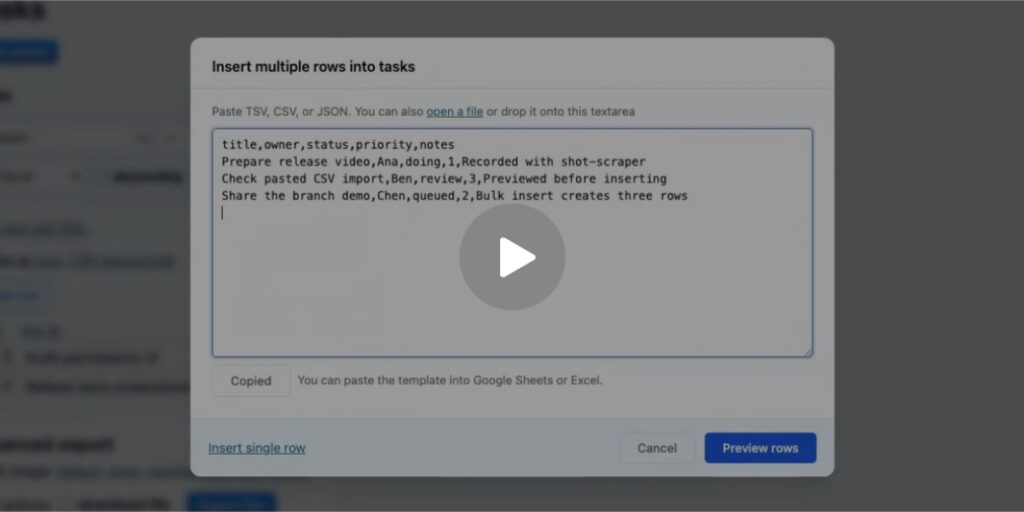
The shot-scraper 1.10 release adds a shot-scraper video command that records a web application’s interaction using Playwright and a storyboard.yml file.
This tool demonstrates how coding agents can produce visual proof of work. The example below shows a feature in development for Datasette that allows users to create new tables from pasted CSV, TSV, or JSON data.
The video was generated using this command:
shot-scraper video datasette-bulk-insert-storyboard.yml \
  --auth datasette-demo-auth.json --mp4
The --auth JSON file contains a cookie, as described in the documentation.
The datasette-bulk-insert-storyboard.yml file defines the steps:
output: /tmp/datasette-bulk-insert-demo.webm

server:

- uv

- --directory

- /Users/simon/Dropbox/dev/datasette

- run

- datasette

- -p

- 6419

- --root

- --secret

- "1"

- /tmp/demo.db

url: http://127.0.0.1:6419/demo/tasks

viewport:

width: 1280

height: 720

cursor: true

wait_for: 'button[data-table-action="insert-row"]'

javascript: |

  (() => {

    let clipboardText = "";

    Object.defineProperty(navigator, "clipboard", {

      configurable: true,

      get: () => ({

        writeText: async (text) => {

          clipboardText = String(text);

        },

        readText: async () => clipboardText,

      }),

    });

  })();

scenes:

- name: Bulk insert existing table rows

do:

- pause: 0.8

- click: 'button[data-table-action="insert-row"]'

- wait_for: "#row-edit-dialog[open]"

- pause: 0.5

- click: ".row-edit-bulk-insert"

- wait_for: ".row-edit-bulk-textarea"

- pause: 0.5

- click: ".row-edit-copy-template"

- wait_for: "text=Copied"

- pause: 0.8

- fill:

into: ".row-edit-bulk-textarea"

text: |

            title,owner,status,priority,notes

            Prepare release video,Ana,doing,1,Recorded with shot-scraper

            Check pasted CSV import,Ben,review,3,Previewed before inserting

            Share the branch demo,Chen,queued,2,Bulk insert creates three rows

      - pause: 0.8

- click: ".row-edit-save"

- wait_for: "text=Previewing 3 rows."

- pause: 1.2

- click: ".row-edit-save"

- wait_for: "text=3 rows inserted."

- pause: 1.0

- click: ".row-edit-cancel"

- wait_for: "text=Prepare release video"

- pause: 1.0

- name: Create a table from pasted CSV

open: http://127.0.0.1:6419/demo

wait_for: 'details.actions-menu-links summary'

do:

- pause: 0.8

- click: 'details.actions-menu-links summary'

- click: 'button[data-database-action="create-table"]'

- wait_for: "#table-create-dialog[open]"

- pause: 0.5

- fill:

into: ".table-create-table-name"

text: "launch_metrics"

- click: Source Read original →