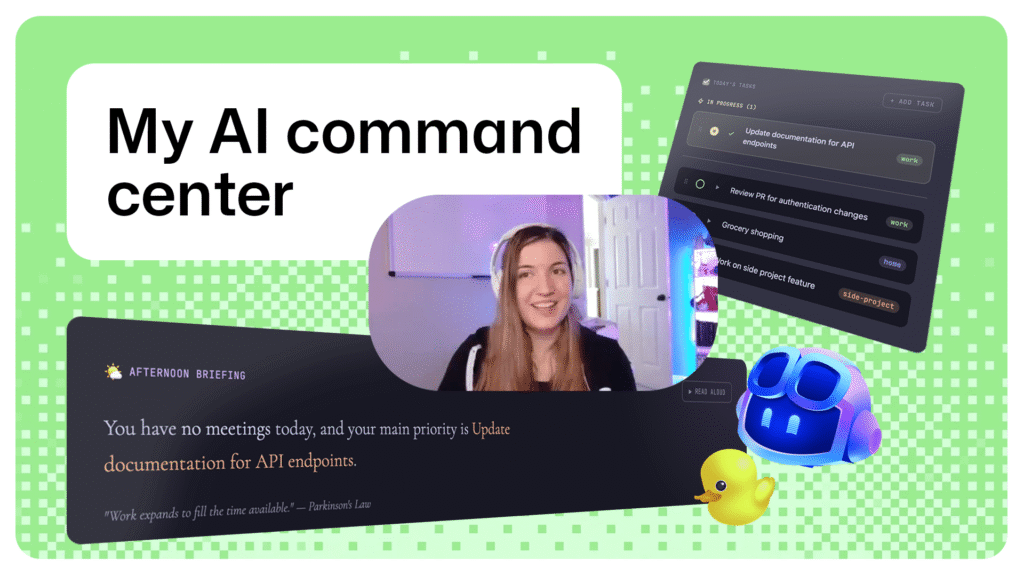
What if you could eliminate the hassle of jumping between multiple apps, consolidating them into one central place?
Q & A
What is your role at GitHub?
I am a staff software engineer on the billing team at GitHub. My daily tasks include working on metered billing, such as managing Actions minutes and storage amounts. I also contribute to open-source projects like ATProto and have built Open Social, which is a social application for the AT Protocol.
What did you build?
I created a personal organization command center to address a simple issue: digital fragmentation. My goal was to bring together various scattered applications into one cohesive space.
How long did v1 take to make?
I use a plan-then-implement workflow when building systems, leveraging AI for planning and GitHub Copilot for implementation. For v1, this method allowed me to transition from ideation to a working tool in just one day while juggling other responsibilities.
During the planning phase, I would ask GitHub Copilot questions about how something should work until we had an adequate plan. Then, GitHub Copilot would implement the work based on that plan. This approach minimized guesswork and ensured smoother implementation.
What’s your favorite tool stack to build with?
I enjoy working in agent mode within VS Code for synchronous development, typically managing up to two non-competing agent workflows at a time. I also use GitHub Copilot Cloud Agent for asynchronous development. This setup allows me to keep a few tasks flowing while focusing on more critical work.
Follow-up loaded question: Do you care what tech stack your apps use now?
I don’t mind the technology stacks of my applications, as long as they are open and accessible. My first Electron app was built using agent mode in VS Code, which is where I focused most of my development efforts. However, simplifying the repository required significant hands-on work to make it publicly available.
What’s your one-line takeaway for other builders?
Go build something! Building solutions from scratch has never been easier, and it helps in learning how to work with new AI tools.
How do you keep up with news and changes in the industry?
I stay informed by reading articles shared internally on GitHub’s Slack, as well as following the GitHub blog. I also follow several podcasts like How I AI and Last Week in AI. On social media, I engage with other engineers on platforms like Bluesky.
Try Brittany’s approach
Brittany’s project serves as a reminder that the most valuable projects often begin as small fixes for everyday problems. While you can use your preferred stack, here are the tools Brittany used to build her command center:
- Electron: Cross-platform desktop application framework
- React: JavaScript UI library for components and state management
- Vite: Build tool with hot module replacement
- Tailwind: CSS utility framework
- WorkIQ MCP: MCP server and CLI for accessing Microsoft 365 data
All of these are open source, and GitHub Copilot can help you get started with them quickly!
If you’d like to try her exact solution, you can clone Brittany’s repository. You’ll need the following on your machine:
- Node.js (v18 or higher)
- GitHub Copilot CLI (for WorkIQ setup)
- A Microsoft 365 account (for calendar sync)
- An ElevenLabs account (for voice assistant setup)
For detailed instructions, see the README file in her repository!
The post Build a personal organization command center with GitHub Copilot CLI appeared first on The GitHub Blog.
Key Takeaways
- Built a tool to solve a specific problem and streamline work processes.
- Leveraged AI for planning and implementation, making the development process more efficient.
- Used open-source tools like Electron, React, Vite, Tailwind CSS, and WorkIQ MCP for building the command center.
Note: The provided URLs are placeholders. You should replace them with actual links to GitHub repositories or resources as needed.