
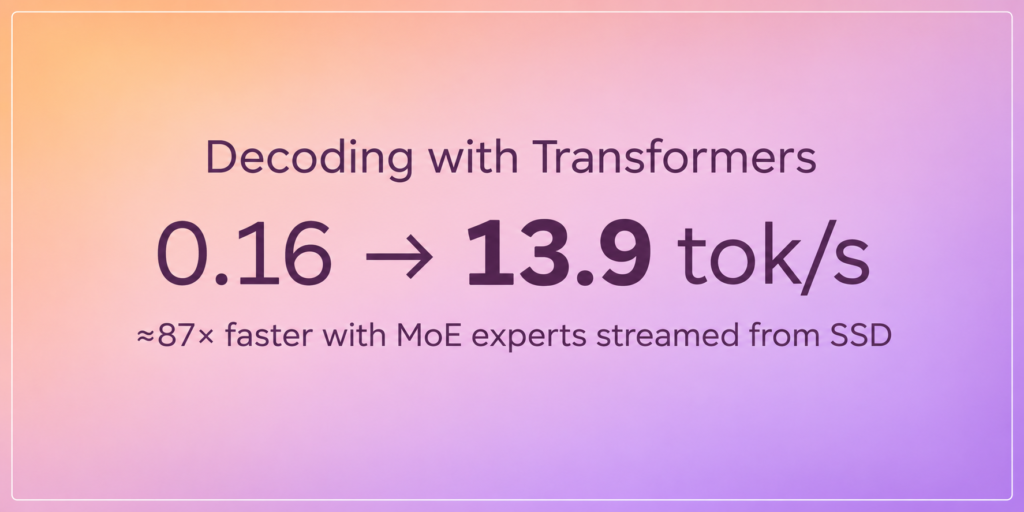
180B Parameters, 32GB of RAM: Pushing MoE Inference to the Limit with Transformers
Streaming MoE experts directly from SSD gets within 6% of Strata on token generation.
I have been trying to rely less on online models and run bigger ones locally. At home I have a PC with two RTX 4090s (let’s call it Orthrus – the two-headed hound of Greek mythology), and for work I have a MacBook M5 with 32G of unified memory.
Orthrus runs on Windows 11, because my kids play games all the time. I had a dual boot with Ubuntu, but their games ended up taking most of the two terabytes of disk.
I am also a huge fan of RMD (rooms moving development): one hour in the kitchen sipping my coffee, two hours at my office desk, then the sofa. A fixed desktop tower is not for me.
My first experiment was to run Qwen 3.8 27B with llama.app on Orthrus and use it from my laptop through pi. That model does the coding tasks, an online model like Opus does the orchestration, and the second RTX runs a FIM model for auto-completion in Neovim.
When I talked about this on social networks, I got very strong feedback: use Strata with Qwen3.8-Flash-Next.
What is Strata?
Strata is an inference engine for MoE models like Qwen. Only the hot experts stay in VRAM, the rest goes to RAM, or even to disk. Experts are 90%+ of a MoE model’s weights, so a 180B model like this one can run on a GPU with much less memory. Like my RTX 4090!
It works on a laptop too, and I stumbled on this blog post doing exactly that: Qwen3.8-Flash-Next on a 32 GB Mac M4, faster than llama.cpp, at 13.5 tok/s.
That’s too slow for how I use coding agents, but it’s an interesting itch to scratch. A whole range of MoE models don’t fit in a MacBook’s unified memory and could run at a decent speed.
How do other engines offload?
Before committing to Strata, I looked at what llama.cpp, vLLM and Transformers do when a MoE model doesn’t fit. Three questions matter: where do the experts live, where does the expert matmul run, and what moves on each token?
llama.cpp maps the GGUF file with mmap and can keep the experts on the CPU (--cpu-moe, --n-cpu-moe N, -ot "exps=CPU", or --fit on to pick for you). Those experts are also computed on the CPU, so only the activations cross PCIe, never the weights. Great when the experts fit in RAM. When they don’t, the page cache thrashes. A GPU expert cache (--moe-cache-mib) just landed, but it fragments the graph (2 splits per token become 50) and loses ~10% even when everything fits.
vLLM’s --cpu-offload-gb N puts N GB of weights in pinned RAM, and kernels read them in place over PCIe. For a MoE layer, that’s only the routed experts, but nothing is cached: a hot expert crosses PCIe again on every token, and there’s no disk tier. By default the offloaded weights include dense layers, read on every token; --cpu-offload-params experts keeps it to the experts. That fits vLLM’s big batches, which touch almost every expert anyway, less so one user on one GPU.
Transformers offloads through Accelerate (device_map="auto", offload_folder), one module at a time: hooks copy its weights to the GPU before forward. For a MoE, that module is a layer’s whole expert bank, so every token copies every expert of every offloaded layer to use 8 or 10 of them. No cache, no notion of routing. And on a Mac, CPU and GPU share the same memory, so “offload to CPU” frees nothing.
I ran all of them on Qwen3.6-35B-A3B on one A10G (24 GB), with plenty of RAM, and Harry Mellor reran vLLM with better flags:
| Engine | Decode (tok/s) |
|---|---|
| Strata, Q8_0 | 82 – 88 |
llama.cpp, Q8_0, --fit on | 63 – 64 |
llama.cpp, BF16, --fit on | 35 – 36 |
vLLM, FP8, --cpu-offload-gb 16 --cpu-offload-params experts | 20.1 |
vLLM, FP8, same flags, --enforce-eager | 14.7 |
vLLM, FP8, --cpu-offload-gb 16 | 9.7 |
vLLM, BF16, --cpu-offload-gb 50 --cpu-offload-params experts | 7.3 |
vLLM, BF16, --cpu-offload-gb 50 | 3.3 |
| Transformers + Accelerate | 0.16 |
Offloading only the experts doubles vLLM’s speed, and FP8 helps on top (half the bytes per expert, more of the model on the GPU). vLLM’s other offload backend, which copies groups of layers ahead of time, ran under 1 tok/s.
If the experts fit in RAM, llama.cpp is hard to beat. If they don’t, you have to stream only what the router picks, through a bounded cache, fast enough that the SSD is the bottleneck and not Python, ideally reusing the model’s fast expert kernels. That’s Qwen3.8-Flash-Next on a 32 GB Mac, and Transformers couldn’t do it out of the box.
Making Qwen3.8-Flash-Next work on my 32 GB Mac with Transformers
Strata was already too slow for me on the laptop, and Transformers was not going to beat it anytime soon. But the Accelerate path was so far off that I wanted to try fixing offloading in Transformers itself, with the big model on my laptop as the target, knowing it would probably stay too slow for how I work.
All of the code was built with AI: the Transformers PR, the model-specific package and the Metal kernels. My part was choosing what to try, reading the profiles, and deciding what to keep. Everything is in a Space: tarekziade/moe-expert-streaming.
Start small
I started with OLMoE-1B-7B, which fits in memory, so I could compare every token with vanilla Transformers.
First version: experts on disk, an LRU cache on the device, and a Python loop running one expert at a time. With every expert already cached, it did 10.1 tok/s. Vanilla did ~32. The I/O was fine, my loop was not: vanilla uses grouped_mm, which runs all the experts of a layer in one kernel.
The fix, and the key idea of this project, was to turn the cache into a slot pool: one preallocated device tensor shared by all layers, plus a per-layer table from expert id to slot. Remap the router’s expert ids to slots and the pool looks like a regular expert bank, so grouped_mm runs on it as is. No custom expert matmul needed. That got it to 34.6 tok/s, against 38.1 for vanilla.
experts_offload
I then turned the standalone loader into an option of from_pretrained, in huggingface/transformers#50717. To try it, install Transformers from that PR:
pip install "git+https://github.com/huggingface/transformers.git@refs/pull/50717/head"Then, moving from OLMoE to the real target, Qwen3.8-Flash-Next:
path = snapshot_download("tarekziade/Qwen3.8-Flash-Next-expert-streaming")

model = AutoModelForCausalLM.from_pretrained(
    f"{path}/dense",
    dtype=torch.bfloat16,
    device_map={"": "mps", "experts.*": "disk"},
    quantization_config=MetalConfig(bits=8),
    experts_offload={
        "cache_bytes": 12 << 30,
        "quantized_experts": f"{path}/experts-q3",
    },
)
That repo holds the output of the project's conversion script: the dense weights, the experts quantized to 3 bits, and the n-gram table.
Experts mapped to "disk" go through the streaming path instead of Accelerate's offload: the loader skips their tensors and MoE layers switch to an offloaded implementation. Misses are read by 8 I/O threads, one contiguous read per expert. The next two layers' routers run early on the current hidden states to guess which experts to prefetch. Experts can be quantized offline so reads are smaller. It works for MoE models with the standard experts layout.
The API is still being discussed with the Transformers maintainers. The device_map form came out of that, and quantized experts will probably go through the per-layer quantization plan of #50245 rather than their own option.
Running 121 GB of experts on a 32 GB Mac
Qwen3.8-Flash-Next has 48 layers of 512 experts (10 active), 121 GB